MAPublisher

MAPublisher - map production software for Adobe Illustrator
Powerful cartography software
for Adobe Illustrator
MAPublisher screenshot - cartographic design and mapping software for Adobe Illustrator

Mapping solutions for the 21st century®.

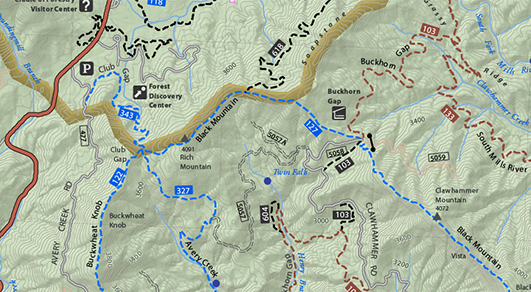
Finally, high-quality map production software that works. MAPublisher® cartography software seamlessly integrates over 50 GIS mapping tools into the Adobe Illustrator environment to help you create maps the way you want, how you want. Import the most widely used GIS data formats, including those from Esri, MapInfo, FME Desktop, AutoCAD, Google and the U.S. Government.

All GIS data attributes and geographic parameters are maintained, are fully accessible and editable. Export data to a wide variety of standard GIS formats including the ability to export documents to geospatial PDF and take them mobile with the PDF Maps iOS app.

MAPublisher supports Esri ArcGIS 10 geodatabases and ArcMap document (MXD) files*. Connect to Personal, File and ArcSDE geodatabases as well as import MXD files with ease. Learn more about geodatabase support in MAPublisher.

Cartography with MAPublisher is now faster, easier and better than it has ever been. When used together with Geographic Imager for Adobe Photoshop, they form the perfect vector and raster map creation software package for the Adobe Creative Suite.


Feature Highlights


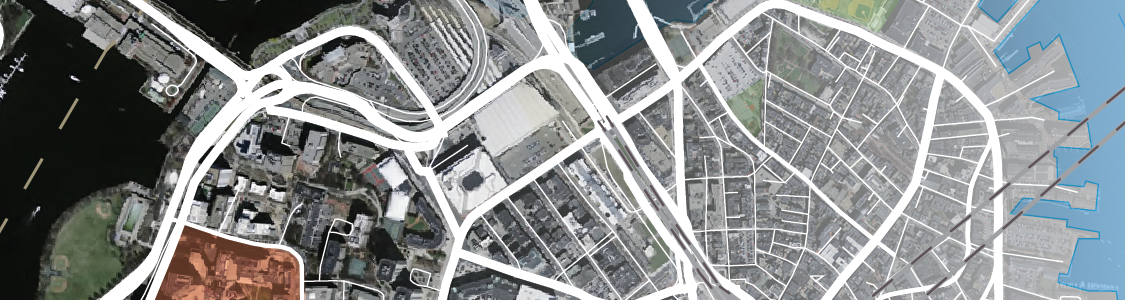
MAP Themes provide tools for a variety of thematic mapping operations. Stylesheet themes are used for quick, easy and accurate styling of points, lines, areas and text. Chart themes produces feature specific bar and pie charts while Dot Density themes aid in the creation of thematic dot density maps.

Create thematic maps with MAPublisher

The new MAP Web Author tool works seamlessly with existing Adobe Illustrator and MAPublisher tools to produce interactive Flash maps. Work directly from an Illustrator map document, containing GIS data, attribute information, symbols, graphic styles and images, and complete with layer control, pan and zoom controls, roll-overs and pop-ups. Cartographic quality web map production has never been simpler and more efficient. Learn more.

Export Flash maps with MAPublisher

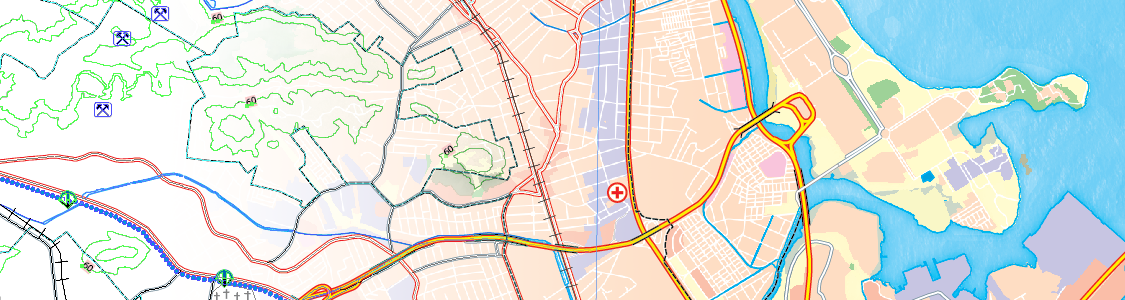
Import leading GIS industry formats from ArcGIS, MapInfo, Google Earth, and other GIS sources with all attributes and georeferencing intact and fully editable. Also, import Esri Personal, File and ArcSDE geodatabases. Make vector and database edits, data edits, additions and save your changes to a variety of GIS industry standard data formats. In addition, export map documents to Geospatial PDF. See all MAPublisher supported formats.

Import data into MAPublisher

MAPublisher tools seamlessly integrate into the user interface and can be resized, moved, and docked just like native Adobe Illustrator panels. The MAPublisher Toolbar allows you to easily launch all the main MAPublisher tools in a single click. Manage map layers, view map attributes, create and edit stylesheets, create selection filters, plot points and much more. See all features.

MAPublisher integrates into Adobe Illustrator


MAPublisher Add-ons

MAPublisher LabelPro - Automated and advanced cartographic labeling for MAPublisher  

MAPublisher LabelPro™ increases efficiency of cartographic label placement. The results of MAP LabelPro are of high cartographic quality. [+ more]


MAPublisher LabelPro - Automated and advanced cartographic labeling for MAPublisher  

MAPublisher FME Auto™ connects the processing power of FME Desktop to the design environment of MAPublisher Adobe Illustrator. [+ more]


Products Download Purchase Resources Support About Us


Follow us on Twitter

MAPublisher
MAP LabelPro
MAP FME Auto
Geographic Imager
MAPdata
MAPdataCanada
MAPdataUSA
MAPdataWorld
MajorCitiesUSA
PDF Maps
MAPublisher
Geographic Imager
MAPdataCanada
MAPdataUSA
MAPdataWorld
MajorCitiesUSA
Order by Phone
Order by Fax
Order by Email
Order Online
Direct Download
Resellers
Resources Blog
Map Gallery
Styles & Symbols
YouTube Channel
Web Author API
User Guides and Tutorials
User Forums & FAQ
Training Courses
Contact Support
Product Activation
Retrieve License File
Renew Maintenance
Maintenance Login
History
Careers
Contact
News
Events