


My Account     Contact Us     Cart

Combining the Power of Avenza Maps and MAPublisher

Have you ever thought about using Avenza Maps and MAPublisher together? Perhaps you’ve wanted to record the details of your trip, and use MAPublisher to create a map of your own. In this blog, we’ll walk you through how to do just that. 

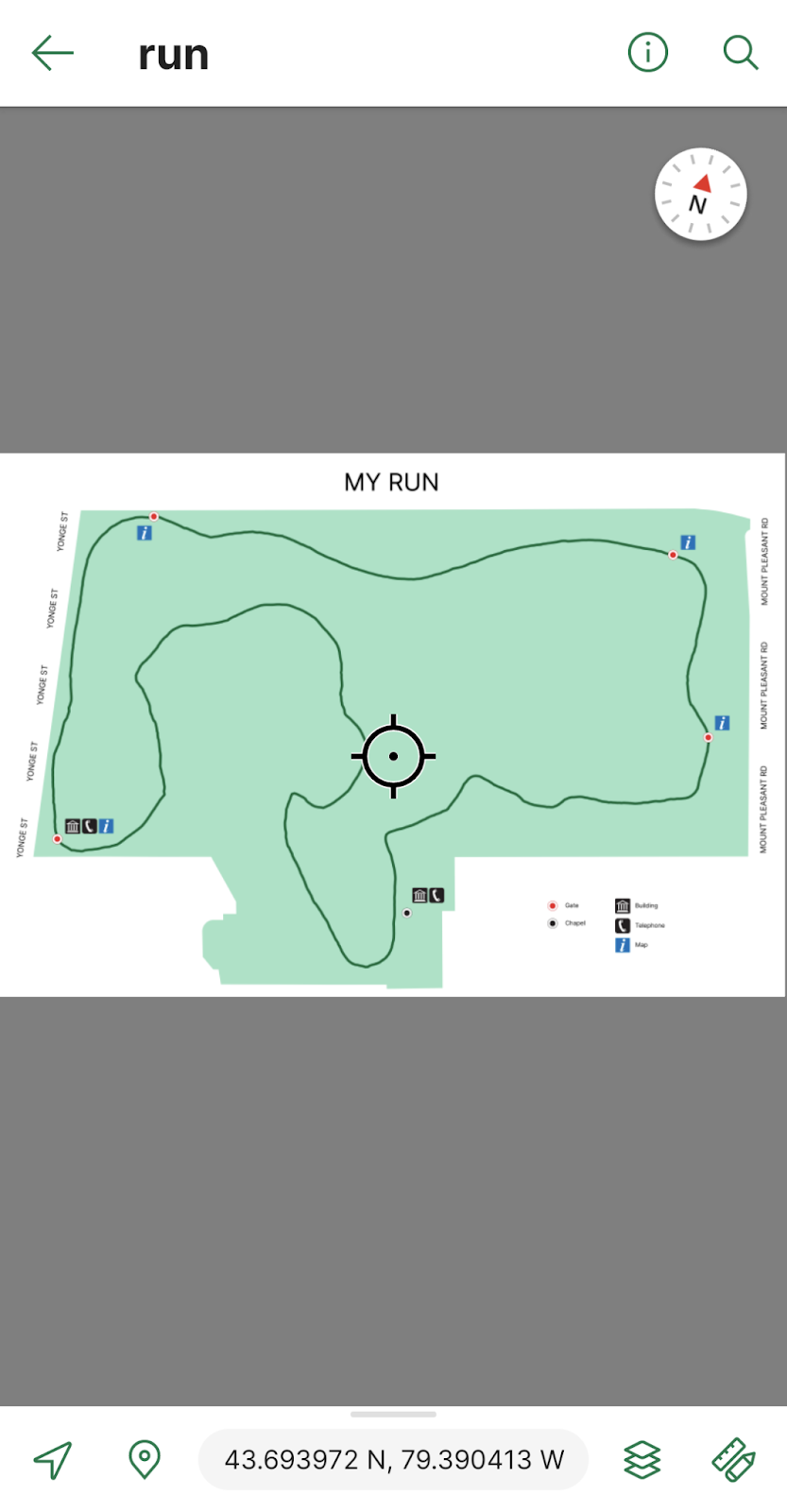
Every day after work I go for a 3km run on the same trails near the Avenza office. To track this I can download a map of Toronto from the Avenza Map Store. After opening the map, I can use the Tracking tool to begin tracking the course of my run. I also would like to collect points of some important locations throughout the park. This layer contains an attribute schema regarding information about the points: whether they have a gate, have a building, have a map, and/or have a telephone.

I would now like to export my layers from Avenza Maps to a file format that I can use in MAPublisher to create a map. From the Layers tab, I can use the export button to export my track and point layers to a shapefile and save it to my Google Drive account.
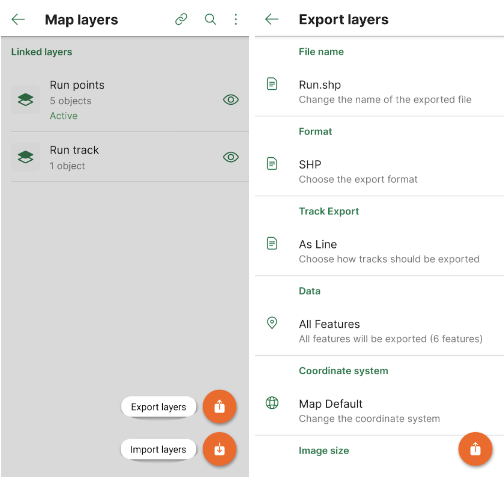
On my computer, I can download the zipped file with my shapefiles in it and extract it. I can then import my data and begin working on my map. I want my map to be simple and easy to read. It is only for personal use so it will not be exceptionally detailed beyond information I might need in case of an emergency during my run. 

After finishing my map, I can use the MAPublisher Export tool to save it as a Geospatial PDF file. I can then import it on the Avenza Maps app and use it during my next run. Now I’ve just created my own map using the data I’ve collected from the Avenza Maps app!
Download Avenza Maps Today

Start recording your next walk, run, or hike by using the tracking tool in the Avenza Maps app, and then you can export this data into MAPublisher to create your very own map for next time.

Download the Avenza Maps app today, available on iOS or Android!

Avenza Releases MAPublisher 11.1 for Adobe Illustrator

Toronto, ON, November 1, 2022 – Avenza Systems Inc., producers of the Avenza Maps® app for mobile devices and geospatial extensions for Adobe Creative Cloud®, including Geographic Imager® for Adobe Photoshop®, is pleased to announce the release of MAPublisher® 11.1 for Adobe Illustrator®. This version offers full compatibility with Adobe Illustrator 2023 (Version 27.0) as well as with the brand new macOS Ventura (version 13) update. It also includes maintenance and bug fixes.

MAPublisher cartography software seamlessly integrates more than seventy GIS mapping tools into Adobe Illustrator to help you create beautiful maps from geospatial data. Import industry-standard GIS data formats and make crisp, clean maps with all attributes and georeferencing intact using the Adobe Illustrator design environment.

Users require a valid Adobe Creative Cloud subscription and a compatible operating system to utilize the improvements and enhancements offered in MAPublisher 11.1. For questions and information on how compatibility requirements may affect your organization, please contact our Support Centre.

MAPublisher 11 is immediately available free of charge to all current MAPublisher users with active maintenance and as an upgrade for non-maintenance users starting at US$649. New licenses are available from US$1499. MAPublisher FME-Auto and MAPublisher LabelPro are also available as add-ons starting at US$499. Academic, floating, and volume licenses are also available. Prices include one year of full maintenance. Visit www.avenza.com/mapublisher for more details.

More about Avenza Systems Inc.

Avenza Systems Inc. is an award-winning, privately held corporation that provides cartographers and GIS professionals with powerful software tools to make better maps. Avenza also offers the mobile Avenza Maps app to sell, purchase, distribute, and use maps on iOS and Android devices.
For further information contact: +1 416-487-5116 – info@avenza.comwww.avenza.com

News Archive