In this edition of Cartographer Chronicles, we hear from Glen Pawelski. Glen is a skilled cartographer with particular expertise in creating maps for the educational, travel and trade industries. With an interest in other subjects related to cartography, such as geology, he has explored and researched both professionally and personally throughout his career. Glen has been a North American Cartographic Information Society (NACIS) member for over thirty years, including two terms on the Board of Directors. In this edition, Glen is sharing his journey through his career so far in his own words, beginning with his interest in maps since his youth all the way to his current projects.
***
Career Overview
I’ve been enchanted with maps since an early age. In elementary school, I would grab NatGeo magazines from the library, place paper over the maps and trace them. Besides maps, it was apparent that I had an interest in other scientific fields, such as astronomy and geology.
This eventually led me to study geography and cartography at the University of Wisconsin-Milwaukee, where I studied with Dr. Sona Andrews, who really fueled my interest in cartography. While at UWM I took undergrad courses in cartography, GIS, human and physical geography, archaeology, anthropology, astronomy, and geomorphology. I also worked creating maps and graphics at the Cartography Lab within the Geography Department.
I gained a wealth of experience and knowledge while working at the lab. This led to internship opportunities: one semester at the Bureau of Land Management and another at a local GIS firm. It was also at this time that Dr. Andrews recruited me to work at my first NACIS conference in Milwaukee in 1991.
My education continued into my Master’s program at UWM where, after one year, I was whisked away to the professional world of map-making. A chance connection at an AAG conference in 1993 led to an on-site interview which resulted in landing my first job as a ‘Digital Cartography Coordinator’ at The H.M. Gousha Company in Texas.
After Rand McNally acquired the company and closed its doors, I moved to NovoPrint USA in Milwaukee and XNR Productions/Terra Carta in Madison. I have called Mapping Specialists home for the past 13 years, and there you will find me happily working away on any of dozens of active projects.
I’ve been involved with NACIS since that student ‘volunteer’ time in 1991. I served two separate terms on the Board of Directors and also served as Local Arrangements Co-Organizer. Every year the NACIS conference acts as a driving force in my own professional development and a mechanism for fostering the many long-term friendships I’ve been so fortunate to make.
Cartographic Highlights
I must say what an honour it was to be a part of the 1996 Olympic Games effort. Gousha produced a series of maps for the Olympics, and I travelled to Atlanta to meet representatives from The Atlanta Committee for the Games of the XXVI Olympiad. Quite the experience!
The exact year escapes me, but I recall working with Avenza while at Gousha performing some very early testing for the MAPublisher set of tools for Adobe Illustrator.
Since then, MAPublisher has become an integral part of everything I create, from textbook maps to historical maps in books such as The Guns of August by Barbara Tuchman, The Compleat Victory by Kevin Weddle, and The Earth is Weeping by Peter Cozzens.
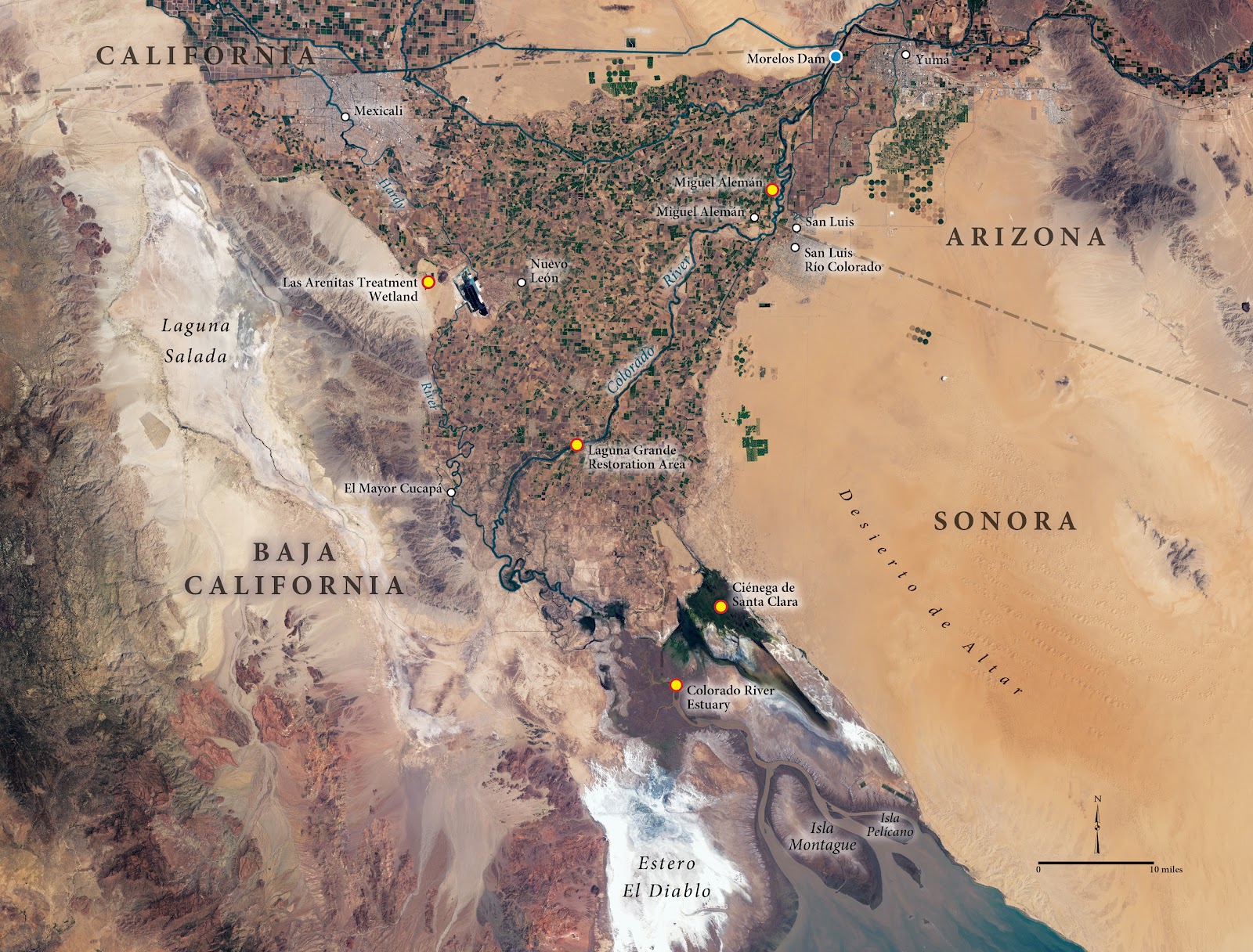
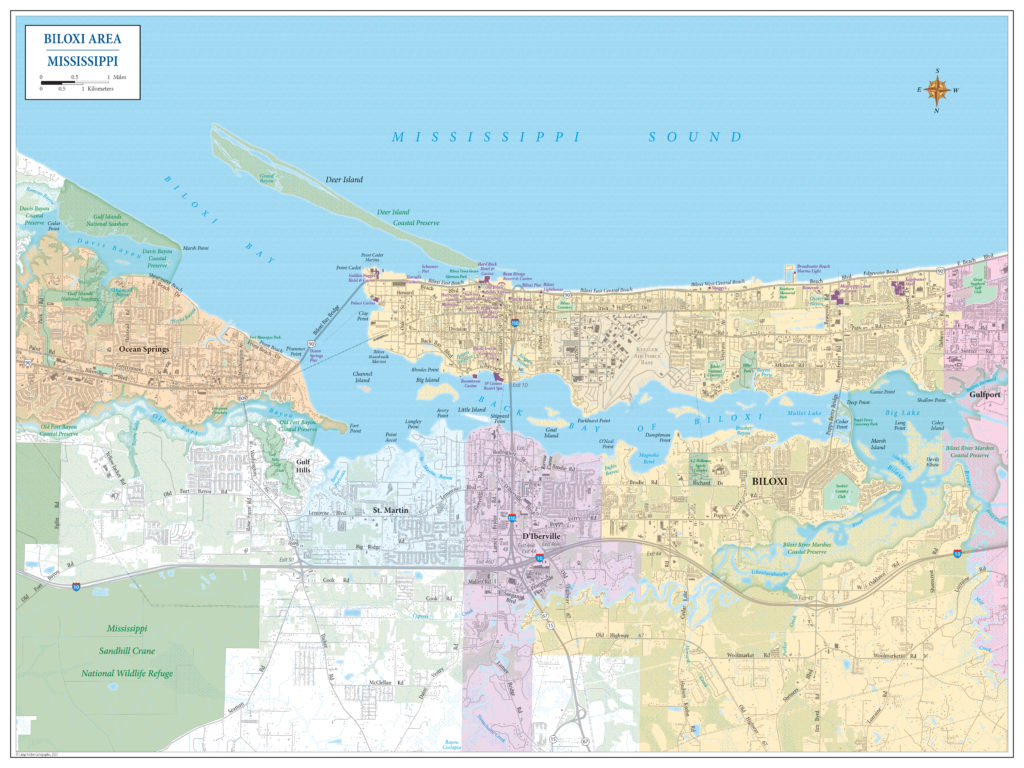
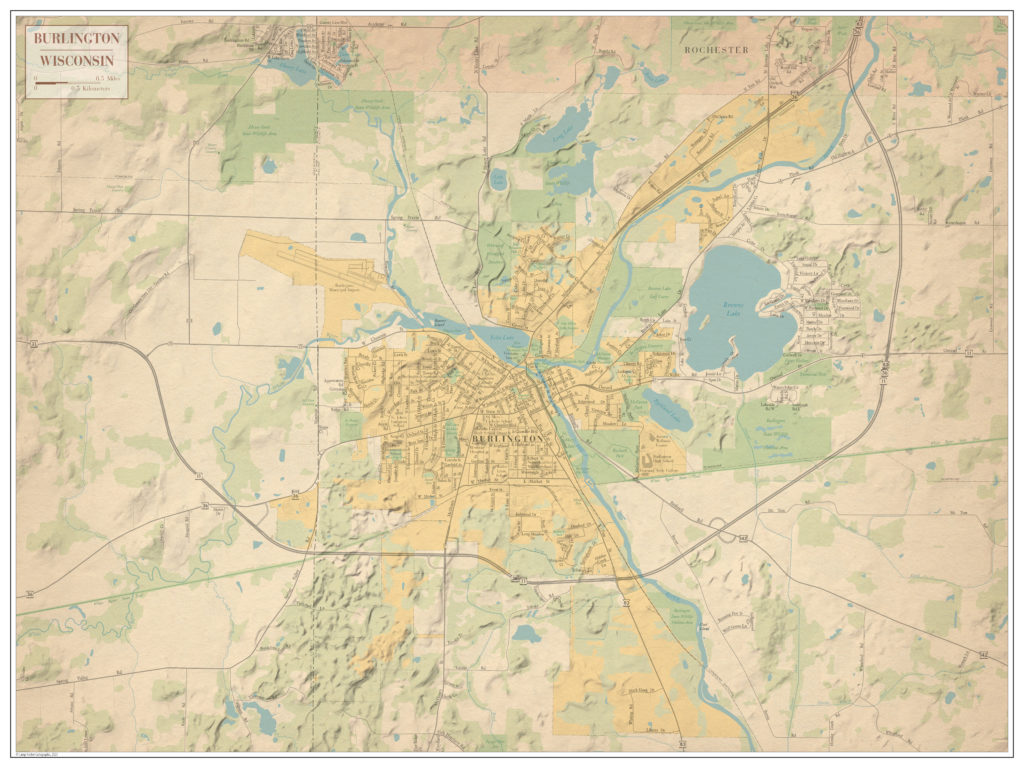
MAPublisher also provided essential tools for my workflow on other professional projects, as well as some personal ones. For example, I was honored to be a part of the documentary film, and subsequent book, The Colorado. In addition to the incredible imagery and story behind the film, the maps that I made provided the necessary context for the different discussions throughout the story, and honestly, that felt pretty good. It was humbling to see the film screening in multiple cities, including at The Kennedy Center in DC. Personal projects allow me to tinker around more with MAPublisher and other designs when I’m not at work, and I have a few examples of these here.
What’s Next?
I would say that I fit comfortably within what we used to call, “traditional cartography.” I entered the field just as the digital transition of map production was taking hold. I started with tools such as Atlas*GIS, CorelDraw!, Freehand, and the early, no-layering-Illustrator. Nowadays, I incorporate many more tools into the process. I am always looking at new approaches, new methods, and new tools to better tell the story the map was intended to tell, whether that’s incorporating Esri StoryMaps, using Blender or Eduard, or exploring other areas such as R and Python.
Have you ever thought about using Avenza Maps and MAPublisher together? Perhaps you’ve wanted to record the details of your trip, and use MAPublisher to create a map of your own. In this blog, we’ll walk you through how to do just that.
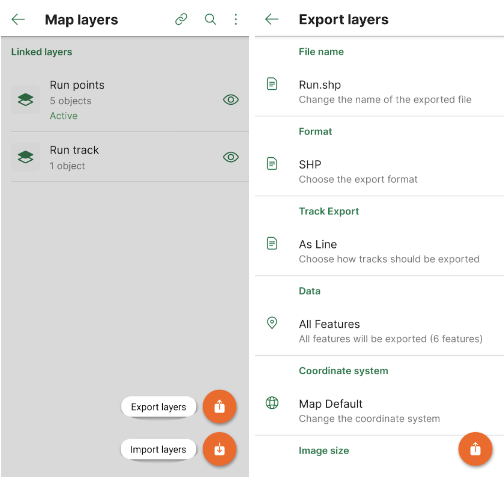
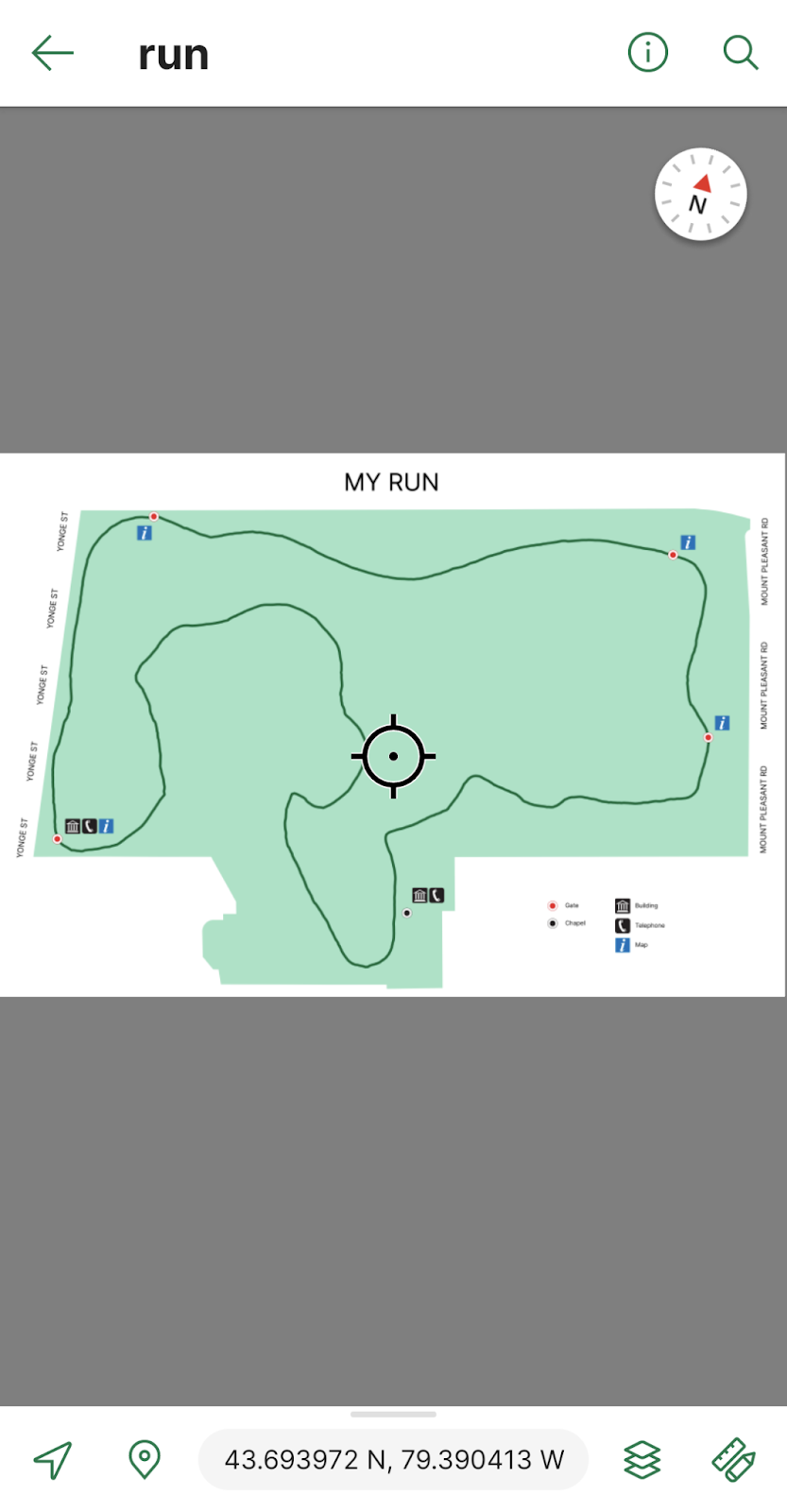
Every day after work I go for a 3km run on the same trails near the Avenza office. To track this I can download a map of Toronto from the Avenza Map Store. After opening the map, I can use the Tracking tool to begin tracking the course of my run. I also would like to collect points of some important locations throughout the park. This layer contains an attribute schema regarding information about the points: whether they have a gate, have a building, have a map, and/or have a telephone.
I would now like to export my layers from Avenza Maps to a file format that I can use in MAPublisher to create a map. From the Layers tab, I can use the export button to export my track and point layers to a shapefile and save it to my Google Drive account.
On my computer, I can download the zipped file with my shapefiles in it and extract it. I can then import my data and begin working on my map. I want my map to be simple and easy to read. It is only for personal use so it will not be exceptionally detailed beyond information I might need in case of an emergency during my run.
After finishing my map, I can use the MAPublisher Export tool to save it as a Geospatial PDF file. I can then import it on the Avenza Maps app and use it during my next run. Now I’ve just created my own map using the data I’ve collected from the Avenza Maps app!
Download Avenza Maps Today
Start recording your next walk, run, or hike by using the tracking tool in the Avenza Maps app, and then you can export this data into MAPublisher to create your very own map for next time.
Download the Avenza Maps app today, available on iOS or Android!
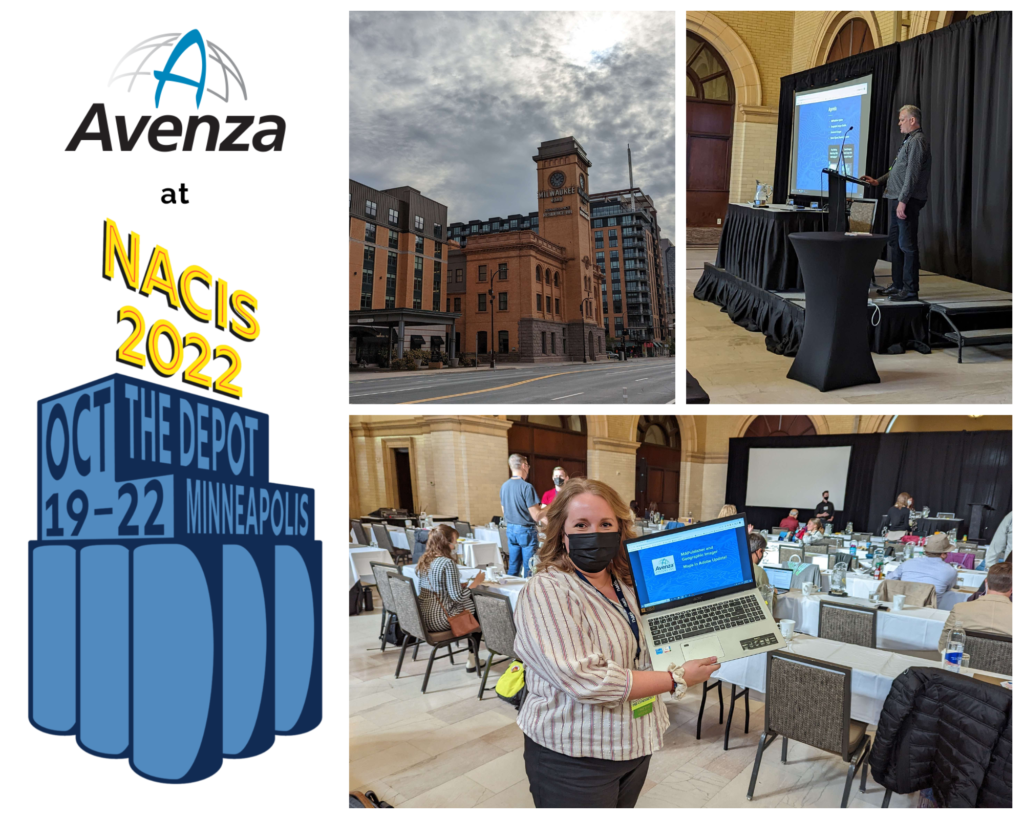
A few weeks ago, between October 19th and 22nd, we had the pleasure of attending the 42nd North American Cartographic Information Society (NACIS) Annual Meeting in Minneapolis. NACIS provides a casual and friendly atmosphere for map-lovers from all over the world to come together and share their passion for cartography. Avenza usually conducts our presentation at NACIS as a part of Practical Cartography Day (PCD), using the opportunity to give a sneak peek at what’s to come in the upcoming year for our products, and demonstrate some of the cool functionalities of MAPublisher.
During PCD we had the chance to share the latest and greatest tools in MAPublisher and Geographic Imager, and we also got to demo some of our favourite tools within MAPublisher. This year our presentation was headed by Nick Burchell, our Director of Quality Assurance here at Avenza, and Rebecca Bennett, our Publisher Success Coordinator. Nick highlighted the new and exciting features within our software this year, such as the new attribute viewer and erase tools in MAPublisher and georeferencing storage in PSD files in Geographic Imager. Rebecca closed out the presentation with a demonstration that focused on highlighting the usage of MAPublisher tools in creating a fantasy postal map of Toronto! Check out the presentation below:
After returning from Minneapolis, we had the opportunity to get a comment from Rebecca about her first time at NACIS:
“There were so many amazing and unique presentations this year, and it was really enjoyable and inspiring to be around so many talented cartographers and GIS professionals. Everyone has their own techniques and special flair with their maps and it was evident in their presentations, and also in the Map Gallery.”
“Overall NACIS is a wonderful place to meet like minded people and share your love of maps!”
Toronto, ON, November 1, 2022 – Avenza Systems Inc., producers of the Avenza Maps® app for mobile devices and geospatial extensions for Adobe Creative Cloud®, including Geographic Imager® for Adobe Photoshop®, is pleased to announce the release of MAPublisher® 11.1 for Adobe Illustrator®. This version offers full compatibility with Adobe Illustrator 2023 (Version 27.0) as well as with the brand new macOS Ventura (version 13) update. It also includes maintenance and bug fixes.
MAPublisher cartography software seamlessly integrates more than seventy GIS mapping tools into Adobe Illustrator to help you create beautiful maps from geospatial data. Import industry-standard GIS data formats and make crisp, clean maps with all attributes and georeferencing intact using the Adobe Illustrator design environment.
Users require a valid Adobe Creative Cloud subscription and a compatible operating system to utilize the improvements and enhancements offered in MAPublisher 11.1. For questions and information on how compatibility requirements may affect your organization, please contact our Support Centre.
MAPublisher 11 is immediately available free of charge to all current MAPublisher users with active maintenance and as an upgrade for non-maintenance users starting at US$649. New licenses are available from US$1499. MAPublisher FME-Auto and MAPublisher LabelPro are also available as add-ons starting at US$499. Academic, floating, and volume licenses are also available. Prices include one year of full maintenance. Visit www.avenza.com/mapublisher for more details.
More about Avenza Systems Inc.
Avenza Systems Inc. is an award-winning, privately held corporation that provides cartographers and GIS professionals with powerful software tools to make better maps. Avenza also offers the mobile Avenza Maps app to sell, purchase, distribute, and use maps on iOS and Android devices. For further information contact: +1 416-487-5116 – info@avenza.com – www.avenza.com
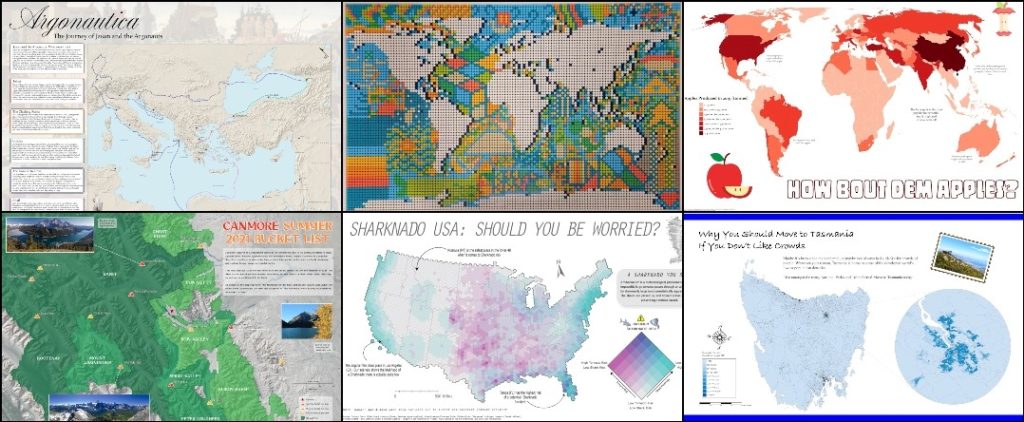
Tomorrow is November 1st, which means it’s time to start another year of the #30DayMapChallenge! The challenge is a Twitter-based daily map challenge which involves posting a map that suits the daily theme each day and tagging it with the hashtag #30DayMapChallenge. It was first started by Topi Tjukanov in 2019 and has been growing in popularity ever since. In 2021, the challenge ended up with over 9,000 submitted maps!
The daily themes for the challenge are posted in early October each year, giving participants about a month to get a head start on planning some of their maps. Some examples of daily themes include maps that show colours, hexagons, fantasy, or islands. Some of the themes also function as a challenge, such as creating a “bad” map, the 5 minute map challenge, as well as a map that is created using new tools outside of your comfort zone.
This year, we’ll be sharing some of our own maps created by Avenza employees, and highlighting some on-theme maps from the Avenza Map Store! We’re looking forward to seeing all of the interesting and innovative maps floating around the #30DayMapChallenge hashtag on Twitter. Remember, participants can post as many or as few maps as they wish. At the end of the day, it comes down to engaging in the ever growing community of cartography-lovers.
We’ll see you on Twitter tomorrow for the Day 1 theme: points! Happy mapping!
For more information about the #30DayMapChallenge – including the 2022 daily themes, visit the official website or check out the GitHub repository!
With the recent release of MAPublisher 11.0, the plugin now comes with a new set of three MAP Erase tools in its arsenal. In this blog, we would like to highlight how these tools work and differentiate between each of them.
Much like the MAP Crop tools, there are three slightly differing tools in the MAP Erase toolset: MAP Vector Erase Tool, MAP Vector Erase, and MAP Erase by Shape. The advanced settings for the MAP Erase tools are shared with the MAP Crop tools, and can be accessed in the MAPublisher Preferences window under “MAP Crop Tool”.
Also like the MAP Crop tools, there are limitations to the types of artwork that can be erased using these tools. The purpose of MAP Vector Erase is to cut and remove vector data (points, lines, and polygons), however some Adobe Illustrator-specific objects may not be erased properly using this tool:
Blend and Live Paint objects
Any art using effects that have been rasterized
Custom art such as scale bars, grids/graticules, north arrows (this art must be expanded to crop)
Compound shapes
Legacy and overflowing text
Locked objects (command box: either treat locked layers as unlocked or skip locked layers)
Hidden layers (command box: either crop hidden layers or skip hidden layers)
Images
MAP Vector Erase Tool
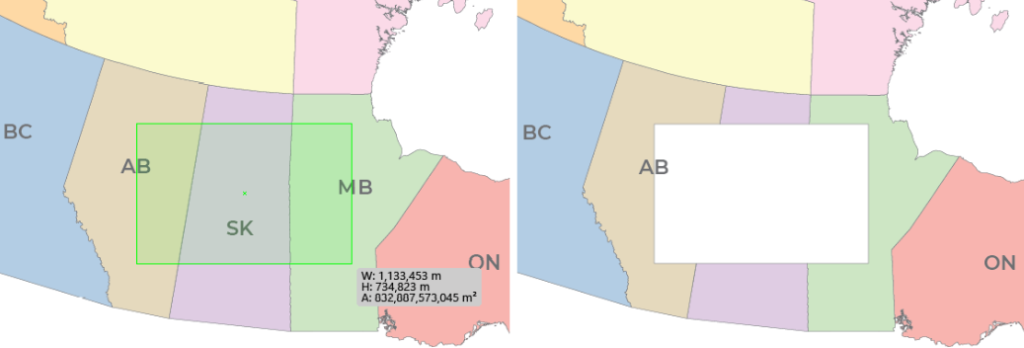
The MAP Vector Erase Tool can be selected from the Illustrator menu. You can draw a rectangle or ellipse shape on the portion of the map you would like to erase.
You can also click anywhere on the artboard which will open the MAP Vector Erase dialog box and specify crop options. Which leads us to the next Erase tool…
MAP Vector Erase
MAP Vector Erase can be accessed from the MAP Toolbar in the Geoprocessing section under the Crop menu as well. This will also result in the MAP Vector Erase dialog box opening. There are a few options you can use to customize how you want your erase shape to be created, as shown below. In my case, I have created a bounding box to perform my erase with, and I would like to apply it to all layers in my document.
You can also click the Advanced… button for further options, which is useful for deciding how your labels are affected by the MAP Erase tools.
The final result is very similar to the previous step, however the MAP Vector Erase dialog box allows for much more customization and specificity.
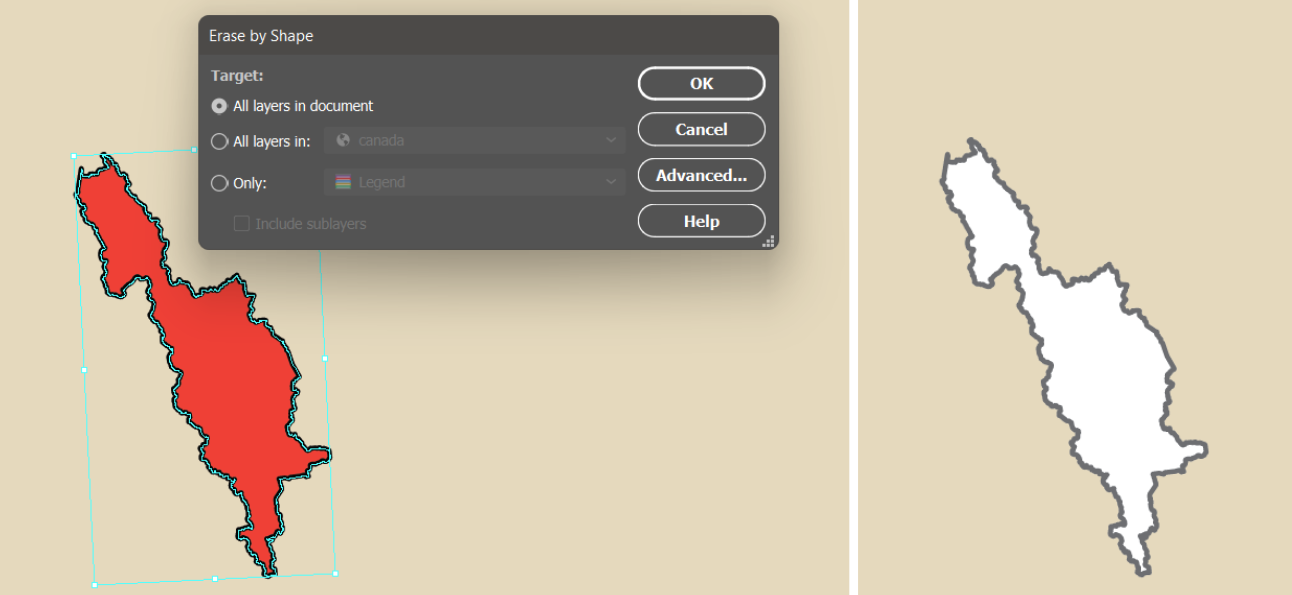
MAP Erase by Shape
The final tool in the Erase series is the MAP Erase by Shape tool, which is also located in the Crop menu of the Geoprocessing section of the MAP Toolbar. This tool can only be opened when there is a single polygon selected on the document, which will be the bounds for the erasure. The MAP Erase by Shape tool is useful when you wish to erase an area that is not a rectangular or elliptical shape. For example, in this example, I used the shape of Banff National Park to erase this portion of my map.
For more information about MAPublisher’s new MAP Erase tools, please visit our Support Centre.
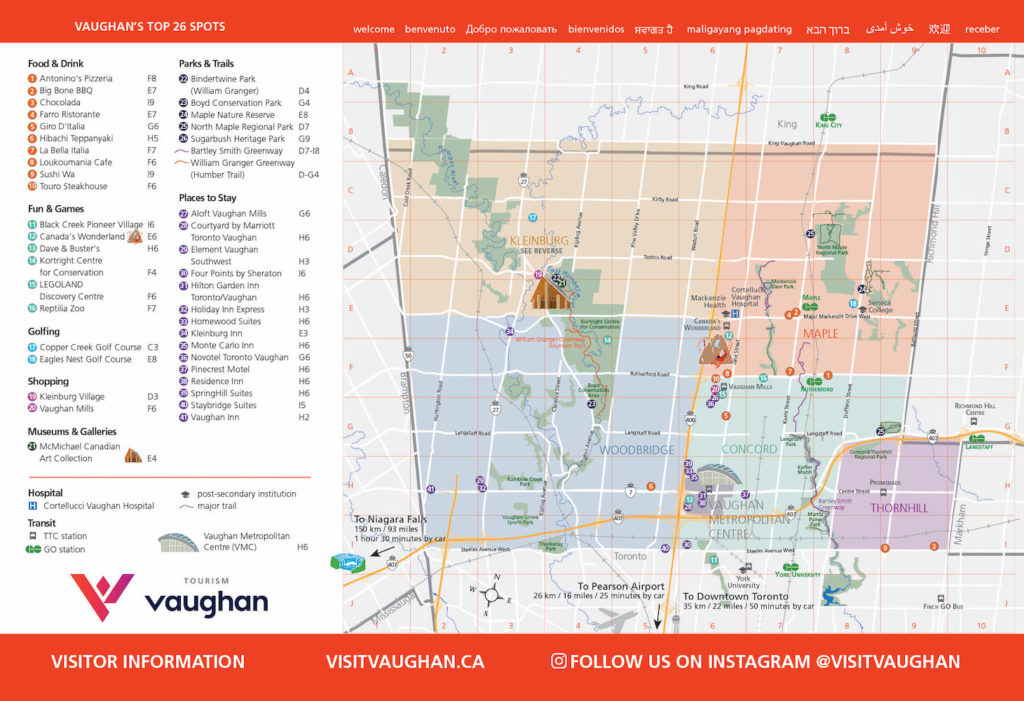
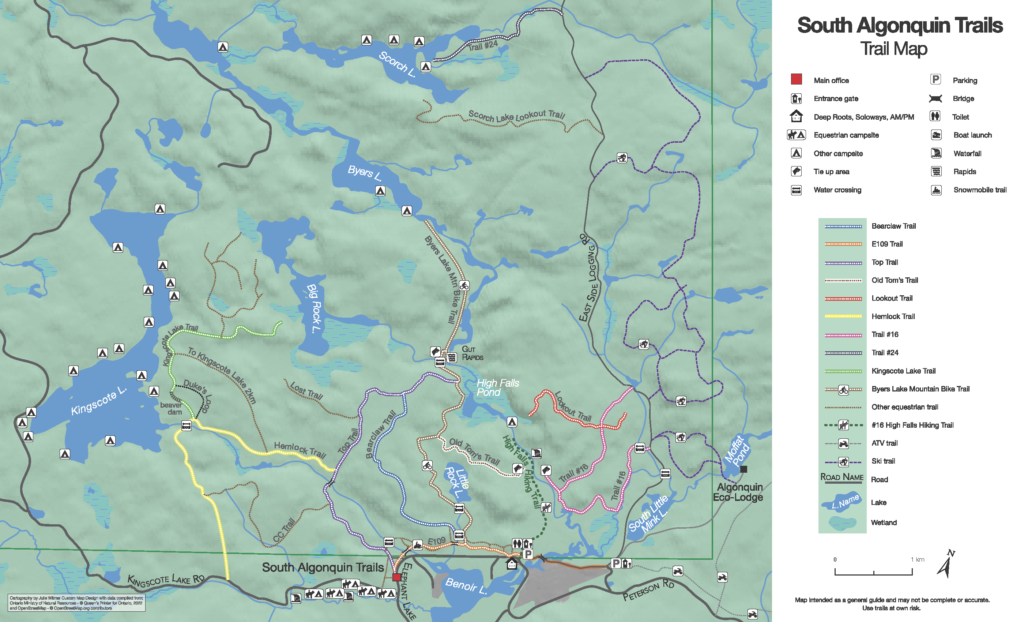
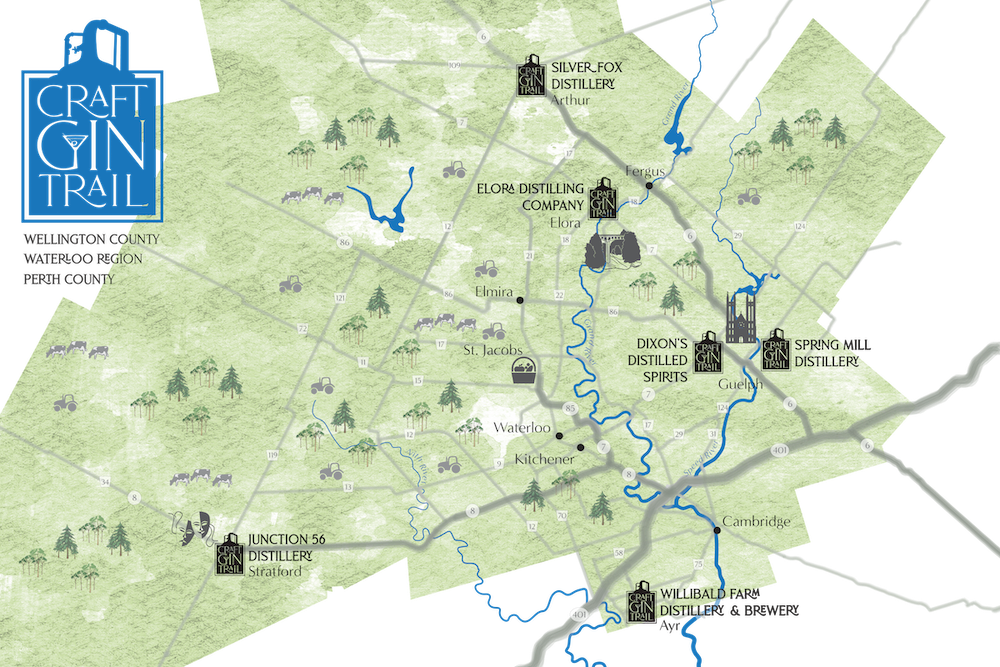
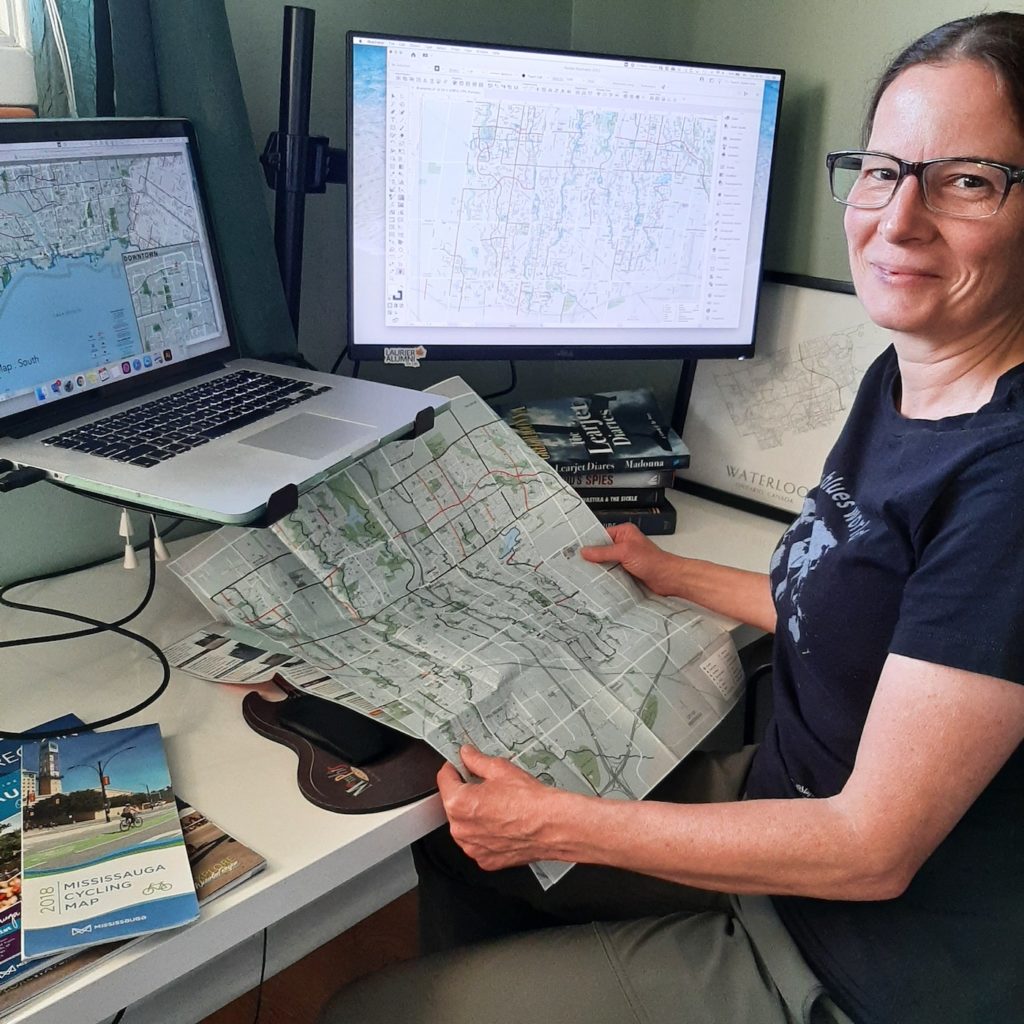
Julie Witmer’s road to cartography has not always taken the most conventional route, but in the past decade she’s already made her mark on the industry. As the owner of Julie Witmer Custom Map Design based in Kitchener, Ontario, Julie creates maps for a variety of client types, including municipalities, publications, and tourism. She applies her skills both in cartography and her previous fields of expertise to approach map-making in a way that encourages people to explore and connect with their communities. In this edition of Cartographer Chronicles we explore Julie’s story largely in her own words, including her journey to discovering a career in cartography, her experience with crafting maps so far, and how she envisions her business moving forward.
Cartography became Julie’s third career path after a decade as an archaeologist and nearly 15 years in IT.
“I’ve always loved maps – collecting them during my travels – but it never occurred to me that it was something you could do for a living. After I was laid off from BlackBerry in 2011, I decided to go back to school. And when I saw that Fleming College offered a GIS Cartography program, it was like a light turned on.”
After graduating from Fleming’s Cartographic Specialist program, Julie worked to build her cartography career the way she envisioned it.
“At Fleming when we talked about the kind of work we wanted to do, I kept saying ‘I just want to make pretty maps.’ I knew that I didn’t want to work in a cubicle farm or for a large company again, but I did work for almost a year for an archaeology company in London, Ontario, making a dozen maps a day for reports. It was hectic but I loved that it combined my interests.”
“I still wanted to work for myself and decided to be a freelancer. It was tough going for the first few years, but in the past 2-3 years (with a temporary slowdown for the first wave of the pandemic), my business has grown to what I envisioned.”
Julie has designed maps for a plethora of local and international clients spanning many different types of organizations, and she tailors her approach to fit each of them uniquely.
“Over the years I’ve worked on cycling maps for municipalities, tourism and trail maps for visitor guides and tourism-focused businesses, maps for non-profit organizations for planning and education, and a LOT of book maps.”
“When people contact me about making a custom map, I’ll arrange a project consultation to get more information about their project – content, style, size, media, timeline, the purpose of the map and its intended audience.”
Many of Julie’s clients, especially municipalities, often come to her with their own datasets for her to use. If not, she’s a fan of Natural Earth or OpenStreetMap data.
“For [OSM data] I use QGIS and the QuickOSM plugin to download data for the coverage area. For everything else (Natural Earth, WFS or WMS services), I’ll grab the data in MAPublisher and spatially filter it to my map view.”
“I create a very simple layout map to establish the coverage area and scale, and then work on the first design draft. Sometimes we have a few revisions with minor style or content tweaks. When my client has approved the final draft, I send them the print-ready image files.”
Julie is an avid and experienced MAPublisher user, as it plays a role in all of her projects. Her history with the program goes back to her time at Fleming.
“I first used MAPublisher at Fleming and I loved it! The archaeology company was an ESRI shop, but when I started my own business I went back to MAPublisher. I love that it’s a local company (well, almost local to me – in Toronto, just down the road from Kitchener). Avenza’s support is amazing, and they are constantly adding new features and incorporating feature requests from customers like me.”
“MAPublisher is the tool that I use most often, pretty much every day. Even if I use other tools to acquire and clip vector data, or manipulate raster images, everything ends up in MAPublisher where I do all the design work.”
She has begun using Avenza Maps in her work, both for collecting and recording data and offering her maps using the Avenza Map Store.
“I recently started creating local park facilities maps and adding them to Avenza Maps. I use the app to track my route while exploring these parks, because often the municipal or OSM datasets don’t include all the trails. I’ve encouraged my clients to use Avenza Maps, too. So far I’ve added a few cycling and tourism client maps to my vendor page, which provides a great value-add for end users.”
When asked about her favourite map that she has created, Julie finds it hard to answer that question with just one map!
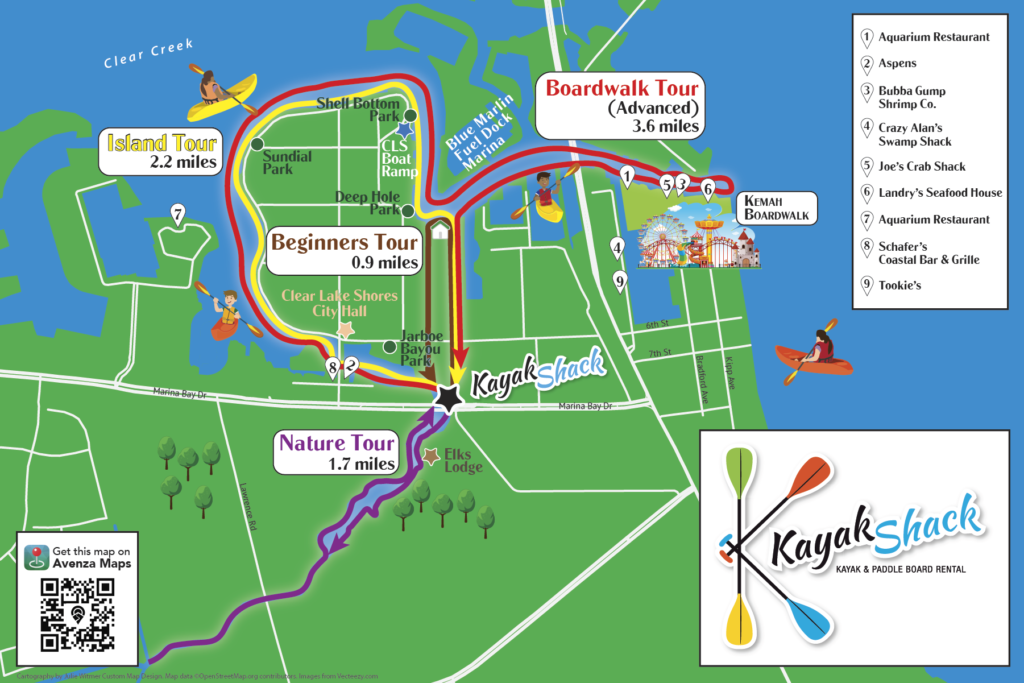
“It’s hard to pick a favourite map – it’s usually the one I’m working on. I’ve had fun creating a map of a motorcycle tour across the southwest US, a book map showing the route and shipwreck of a Dutch merchant ship, maps of the Roman Empire, a large poster map of Micronesia, a tour map for a kayak rental business, and a series of maps for a documentary film about an Indigenous nation in British Columbia. And so many others! I love when my clients give me free rein to come up with a design. But on the other hand, if my clients have a clear picture in their head, it’s very rewarding to bring that picture to life.”
Julie was kind enough to share with us some of the map projects we can expect to see from her in the near future, and other tasks she’s engaged in to streamline her map design process.
“Last year I worked on dozens of maps for an atlas of American history (coming soon), as well as quite a few projects for books, cycling and tourism maps, and more. Right now I’m working on a map of the eastern seaboard Fall Line; a map of the Gibraltar Nature Reserve for their website and brochure; city maps for Sharon, Pennsylvania; and several book map projects – military histories, historical fiction, maps of the Mediterranean and England, and the US midwest.”
“I’m [also] currently learning how to add FME to my workflow to help streamline some parts of the map creation process, and would like to play more with terrain imagery in Natural Scene Designer.”
Finally, Julie finished off our interview by providing advice for anyone wishing to pursue a career in freelance cartography like her.
“If you want to start your own cartography business, I would first recommend starting it part-time as a side hustle and building a portfolio and learning about marketing and everything else that goes with running your own business. I did it the hard way and there were many times that I thought about getting a salaried job, but I love what I do and I definitely didn’t want to end up back in a cubicle! For many years it felt like I had to keep my foot on the gas, working insane hours, but it’s finally paying off. It’s still harder than working for someone else, in some respects, but the rewards are worth it. I love being able to provide my clients with custom maps that show what’s important to them. And my boss lets me take more than 2 weeks of vacation!”
Learn about more about Julie by visiting her website!
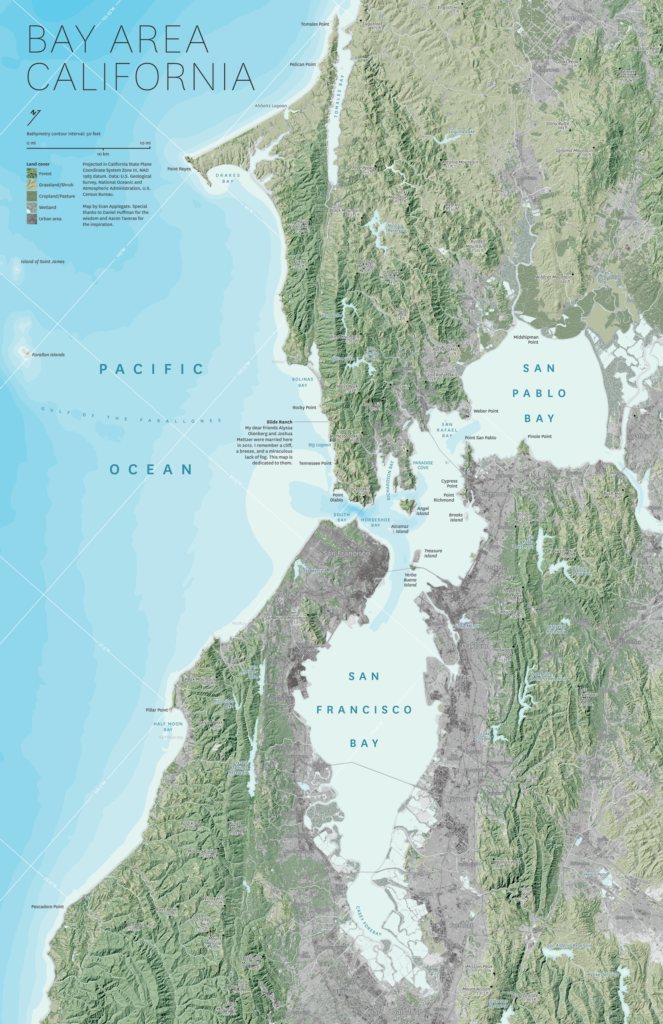
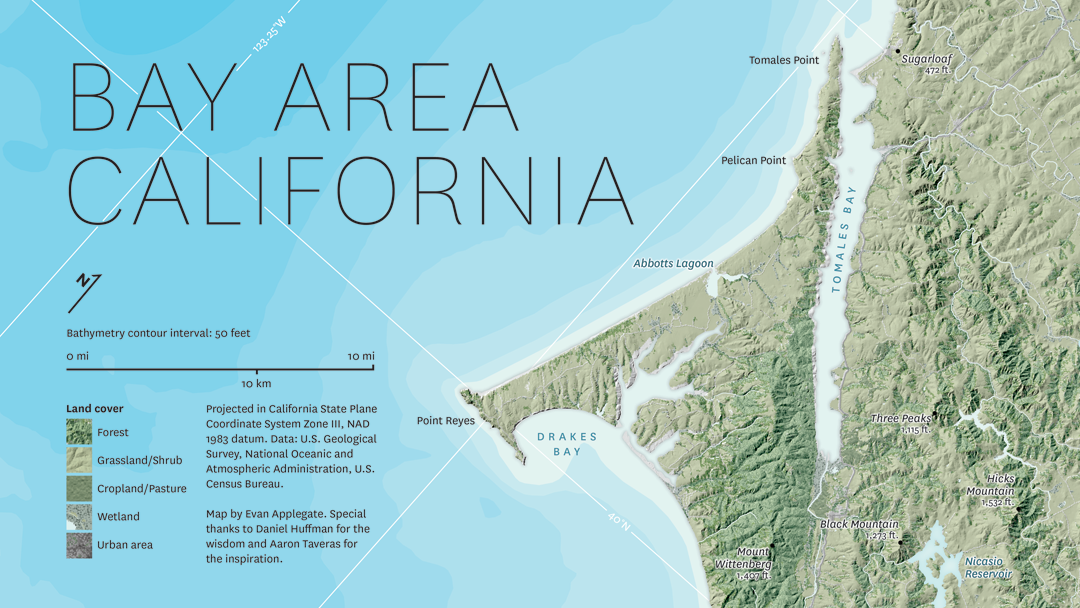
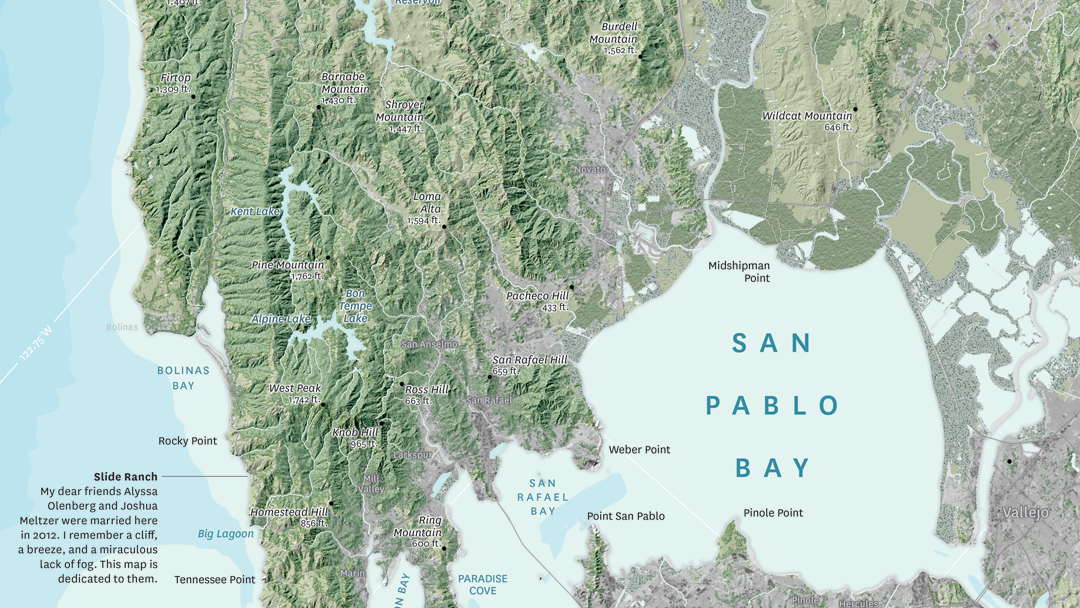
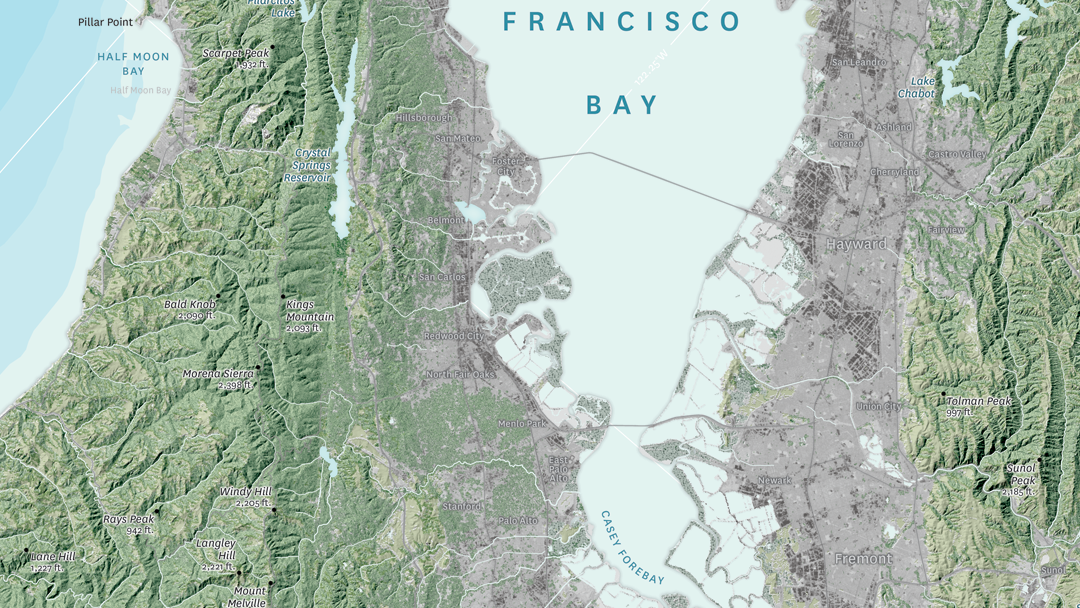
In this month’s Map Gallery Spotlight, we are showcasing an honourable mention of the 2021 Avenza Map Competition. This relief and land cover map of the San Francisco Bay Area was created by Evan Applegate of The Map Consultancy. The map shows the lakes, rivers, forests, grasslands, croplands, wetlands, and urban areas of the Bay Area. Applegate created the map as a dedication for two of his friends who were married on a beautiful cliffside north of the city. The North Bay Area is known for being the least urbanized part of the Bay Area, and housing the Napa and Sonoma wine regions.
The map highlights various natural features throughout the San Francisco Bay Area, such as elevation peaks, water features, and some landmarks. It also includes 50-meter bathymetry contours. The shaded relief details the varying elevation of the region, colour-coded to display the borders between forests, grassland, farmland, and urban land. The location of Applegate’s friends’ wedding, Slide Ranch, is identified on the map.
Select the images below to see a detailed look at Evan’s map
Making the Map
Applegate pre-processed his data in QGIS, GDAL, and Adobe Photoshop, and then used the Avenza MAPublisher plugin for Adobe Illustrator to composite it all together. This is made easy by the way MAPublisher retains the georeferencing of the data imported from other GIS software. Data that does not have any georeferencing when it is imported, can also easily be georeferenced using MAPublisher’s Georeferencer tool.
The finishing touches were also added to the map using MAPublisher. The Label Features tool was heavily used in the placement of labels, saving Applegate several hours of manual labeling. Using this tool, label settings can be applied and multiple layers of data can be labeled at once if desired. Finally, labels are added to the map under one Text layer, to ensure organization.
Stylistic elements of the map were touched up using native Adobe Illustrator tools, MAP Layout tools, and a graticule was added.
Check out our other Map Gallery Spotlight blogs here!
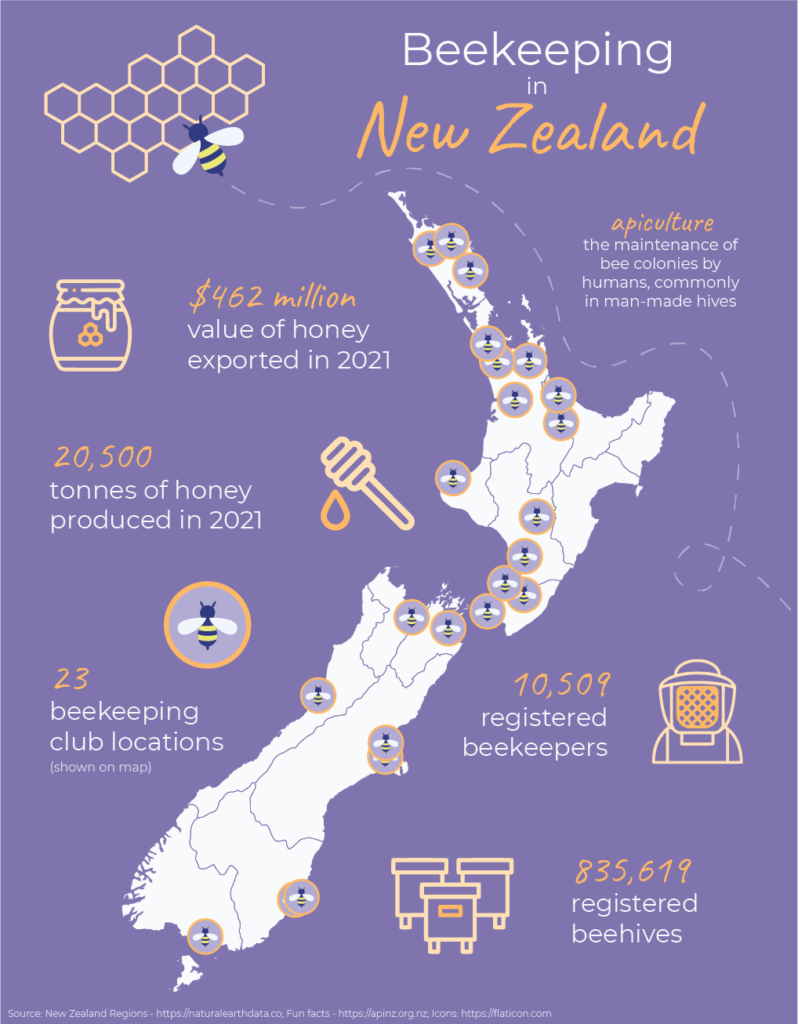
Today is May 20th, which means that it is World Bee Day! This year we will be celebrating with an infographic map detailing the prevalence of beekeeping in the nation of New Zealand. The map has been compiled and designed using the Avenza MAPublisher extension for Adobe Illustrator.
What is Beekeeping?
Beekeeping, also known as apiculture, is the maintenance of bee colonies by humans, commonly in man-made hives. Beekeeping results in the creation of many products in our lives such as beeswax, royal jelly, and many different types of honey.
Why do we celebrate World Bee Day?
World Bee Day was first celebrated in 2018, after being proposed by Slovenia to the United Nations in prior years. May 20th is the birthdate of the pioneer of beekeeping Anton Janša, who was born in Carniola in 1734, which was a region that falls within present-day Slovenia.
The purpose of World Bee Day is to celebrate the importance of bees and other pollinators to many aspects of the world’s ecosystems and economies. They are responsible for the pollination of many crops, with nearly ⅓ of every spoonful of food we eat depending upon pollinators. This makes bees a very important part of the agricultural industries, and therefore the economies of many countries.
With many pesticides and other chemicals negatively contributing to the health of the world bee populations, it is crucial to raise awareness and promote care when creating agricultural and other environmental policies and processes.
Beekeeping in New Zealand
New Zealand is one of the top 20 countries ranked by total number of beehives, with over 835,000 registered beehives. The organization Apiculture New Zealand, or ApiNZ, was created in 2016 to support, advocate for and benefit the apiculture industry of the country. Membership is voluntary and consists of about 2500 beekeepers.
New Zealand produces many different types of honey, including population variations such as mānuka honey. The story map we have created using MAPublisher locates the 23 known beekeeping clubs across New Zealand, as well as highlights some interesting facts about beekeeping in the island nation. All in all, beekeeping is an important part of the New Zealand economy and agriculture industry.
Fun Facts About Bees
Here are a couple fun facts you might not know about bees and how important it is to continue protecting them:
Did you know that nearly 90% of wild plants and 75% of leading global crops depend on pollination from bees and other pollinators? It’s true! Crops that are dependent on pollination are five times more valuable than those that are not.
If you find a bee that appears to be struggling, you can gently place it on a bee-friendly flower. If there are none around, you can provide it with energy by giving it a couple drops of a 1:1 solution of white sugar and water.
India is the country with the most registered beehives, with over 12.2 million beehives as of 2020!
In this edition of Cartographer Chronicles, we welcome Gene Thorp. Gene is a renowned, award-winning cartographer who has become a staple of the map-making community. Gene displays an expertise in map design honed through nearly 30 years of experience. Gene skillfully applies his craft by using maps to tell fascinating stories and communicate important information about history, geopolitics, and the world around us. In this issue of Cartographer Chronicles, Gene is telling his own story, sharing with us how he came into map-making as a career and his interesting journey through the world of cartography.
***
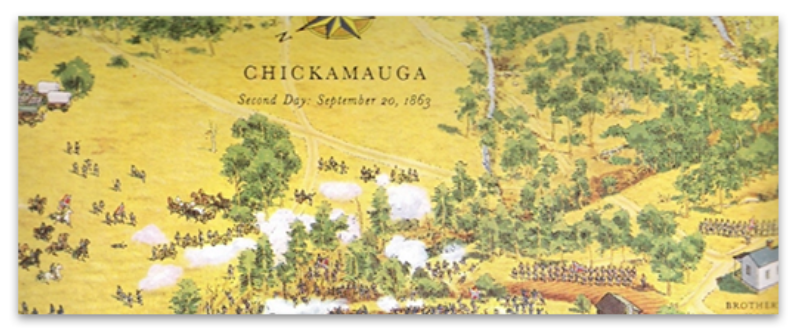
The cartography bug bit me when I was very young, before I could even read. I know this because I was captivated by artist David Greenspan’s illustrated maps, dozens of which I found in my grandfather’s American Heritage Pictorial History of the Civil War. Each map contained hundreds of little hand-drawn soldiers fighting across all types of terrain. I spent hours studying every little detail and harassing my poor older brothers to read what the cryptic numbered captions said. When I got older, I realized many of those battlefields were only a day’s drive from where I lived, so I persuaded my parents to visit one on a family trip. Greenspan’s illustrations were so effective that I was able to easily visualize what had happened there. It was almost like I had already visited the battlefield before. I was hooked on maps, but at that young age, I never dreamed I would have a career-making them.
Fast forward fifteen years, and I was early into college pursuing a history degree at the University of Maryland Baltimore County (UMBC). I had to pay for my school so I worked part-time at a Hechinger hardware store. One of my coworkers there knew I had an interest in maps and told me UMBC had one of the best cartography programs in the country and suggested that I check it out. I took Cartography 101 the next semester and realized this was the career path for me. Under the mentorship of Professors Joe School and Tom Rabenhorst I was part of the last class that was taught photometric techniques using scribe coat and linotype, and the first class to design and produce maps solely using computers. In a school internship program, I was lucky to be chosen as the project editor on what was likely the first-ever digitally produced U.S. atlas for a company called Military Living.
Three years later with a degree in geography, a degree in history, and a much-valued certificate in cartography, I teamed up with a friend from school and we ventured out into the real world to try our hands at commercial mapping. Sadly, our timing was off. Our business was launched immediately after the breakup of the Soviet Union. The once robust defense industry suddenly downsized and the country entered a recession. Our cartography business was essentially shuttered after only one year. Good cartography positions were hard to come by, so I expanded my horizons and jumped into graphic design which at that time had many more job openings.
Starting from the bottom, over the next eight years I worked at prominent graphic design firms in the Washington, D.C. area designing and producing magazines, logos, brochures, websites, and illustrations. It turned out to be a great experience where I learned page layout, cover design, image manipulation, illustration, and other publication techniques from some extremely capable artists and designers. They taught me the importance of typography and that good design did more than make a layout look attractive, more importantly, it effectively communicated information. These were lessons I took with me for the rest of my career.
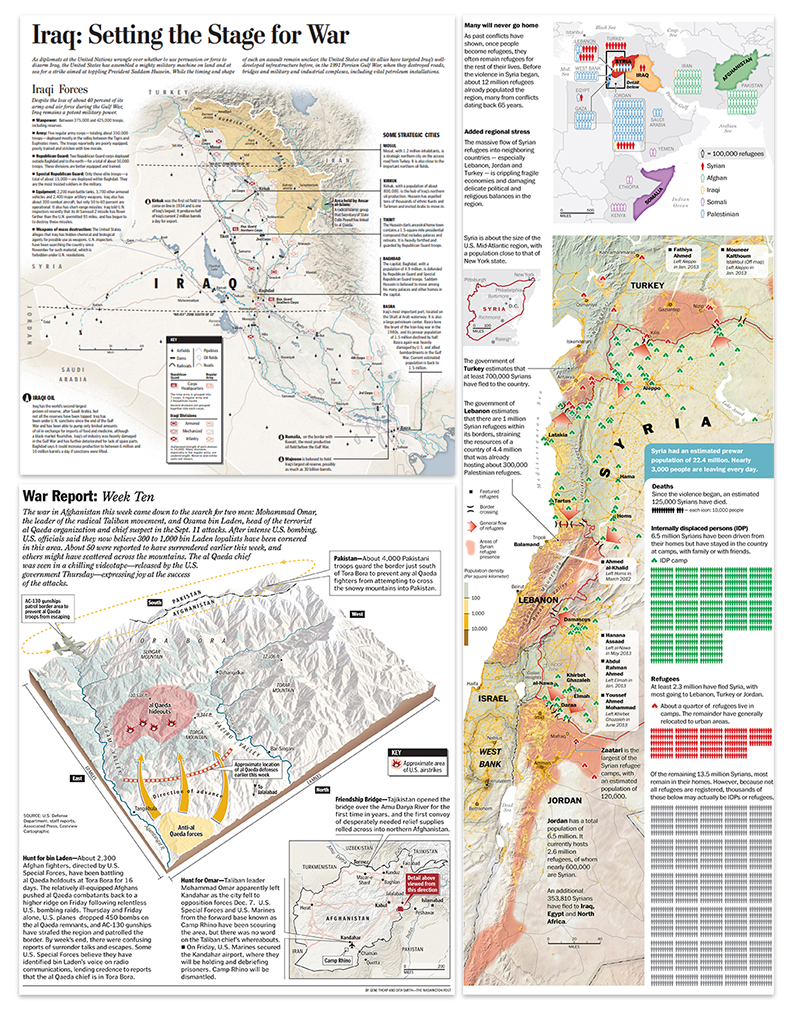
During that time, I never abandoned cartography. I picked up small mapping freelance projects wherever I could find them hoping maybe one day I could get back into the field full-time. My big break came in 2000 when I was brought onto The Washington Post staff as a cartographer by the talented Art Director Michael Keegan and the extremely gifted Chief Cartographer Richard Furno, a former National Geographic cartographer who was a principal designer of the iconic 1969 moon map. He also developed a custom CAD-based mapping application called Azimuth, which, in conjunction with Macromedia Freehand, Adobe Photoshop, and ArcInfo, were the primary programs we initially used to create maps for the newspaper. Geographic points, lines, polygons, and raster data were brought into Azimuth or ArcInfo to be projected then exported. Raster data was further manipulated in Photoshop. Everything was then imported into Freehand where the map was designed, styled, and labeled. Each type of feature like roads, rivers, and urban areas had been color-coded in Azimuth or ArcInfo so they could be easily selected, stylized, and labeled in Freehand.
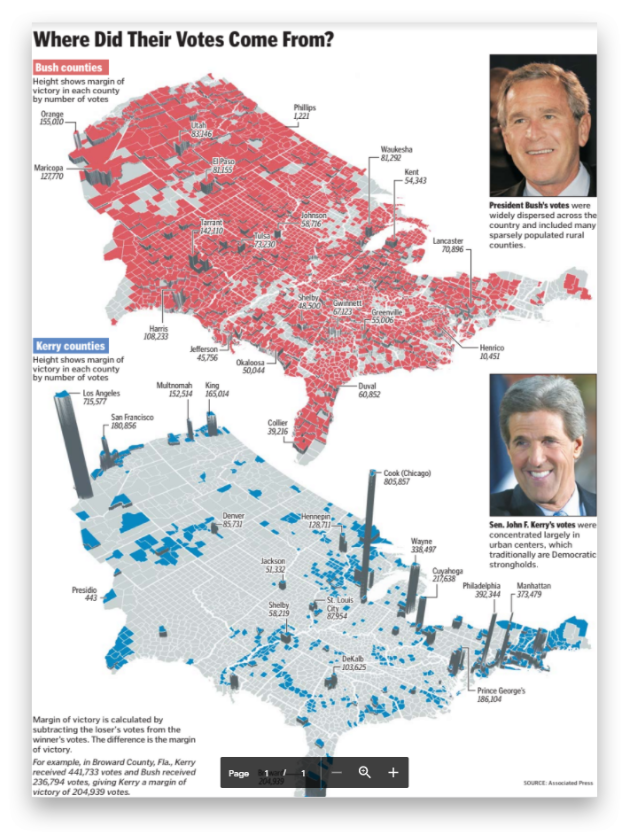
Over the next 15 years, I created thousands of maps, from simple locators to full double-truck spreads on every topic imaginable. One of the map projects I was most proud of was the Presidential election result maps published the day after the election which displayed each candidate’s margin of victory by county.
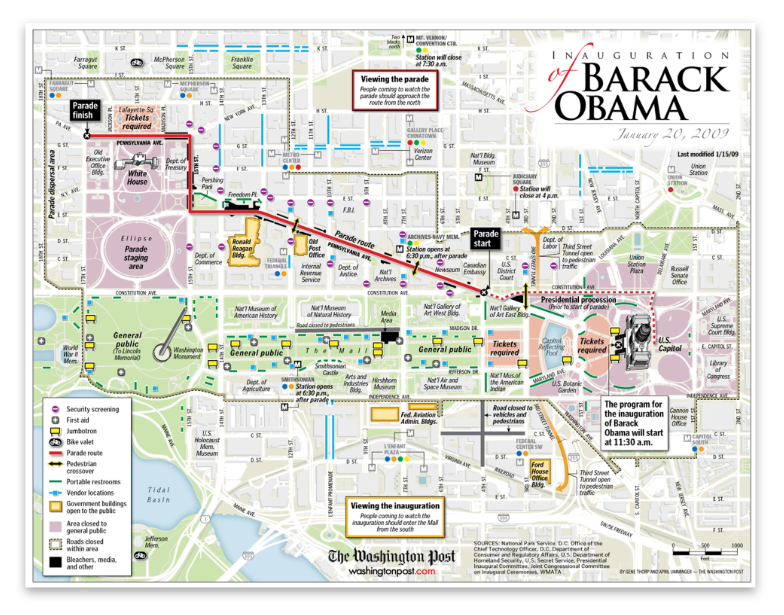
The maps were designed in perspective to clearly emphasize how much weight small and densely populated counties contributed to the overall election result. Another favorite was the Obama Inauguration map showing attendees the parade route, jumbotrons, vendors, first aid stations, and the all-important locations of portable restrooms! It was fun to walk through the crowd and see so many people using it.
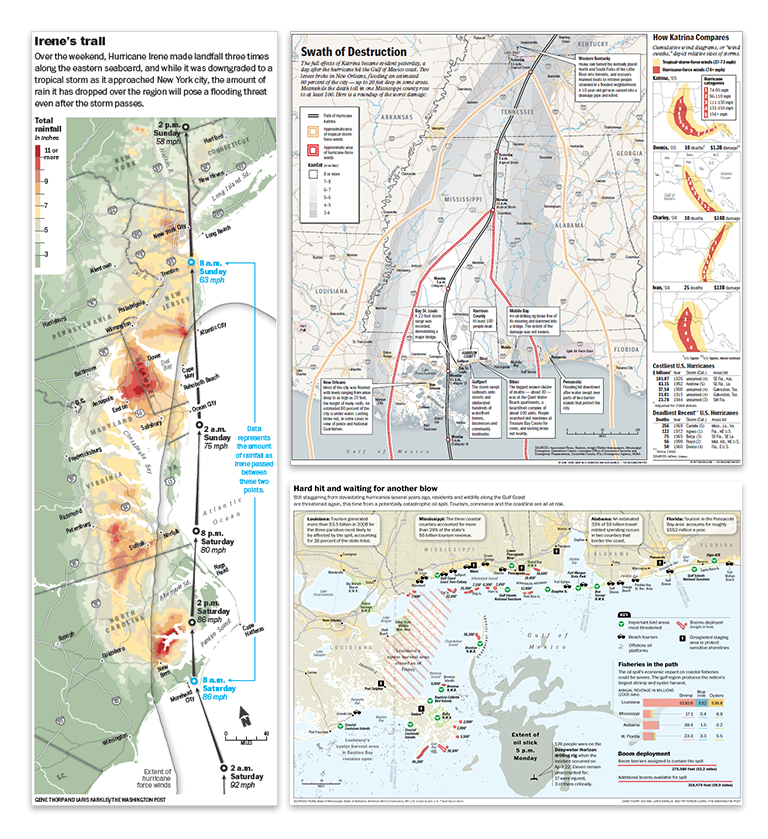
Environmental disasters such as hurricanes, earthquakes, and oil spills were all too common topics to be mapped. When one occurred, all other projects were immediately sidelined to provide weeks-long detailed cartographic coverage. This included hurricanes Katrina, Rita, and Irene, earthquakes like those in Indonesia, Japan, or Haiti, and man-made disasters like the Deepwater Horizon oil spill whose massive oil slick spread for weeks across the Gulf of Mexico.
With September 11th happening less than one year after I was hired, covering terrorism and military actions across the globe was another major part of my duties at the newspaper. I made what seems like countless static and interactive maps of the hunt for Osama Bin Laden, the invasions of Afghanistan and Iraq, the rise of ISIS, the civil war in Syria, and the Russia-Ukraine conflict.
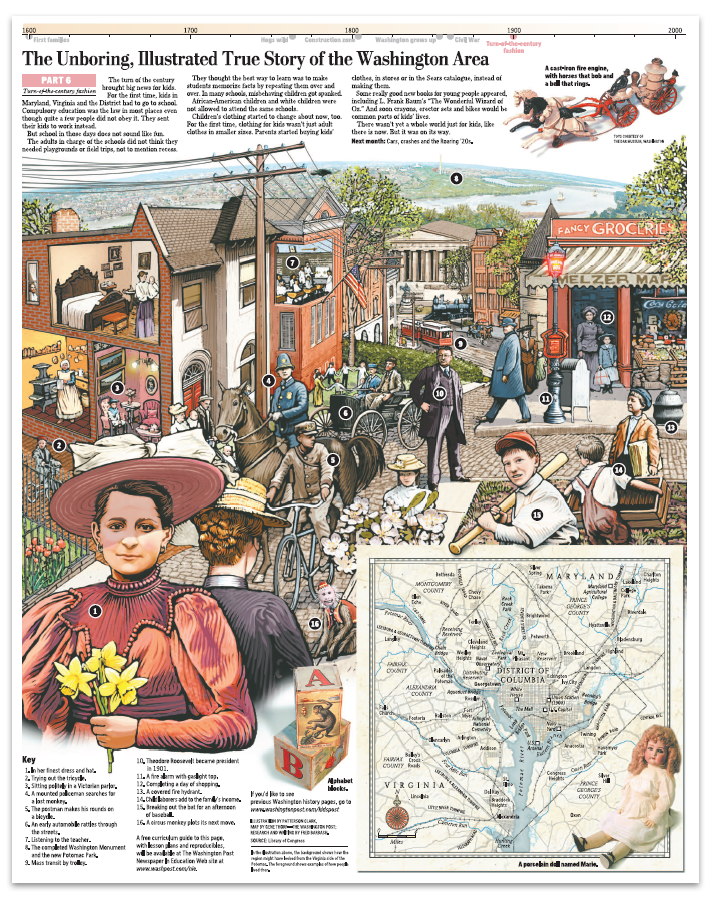
But mapping at the Post wasn’t always serious. I was able to fit in extra time to support travel stories, illustrate a few Kid’s Post graphics, and contribute research and cartography to a 10 part illustrated series on the history of Washington, D.C. (which won gold at the international Malofiej awards).
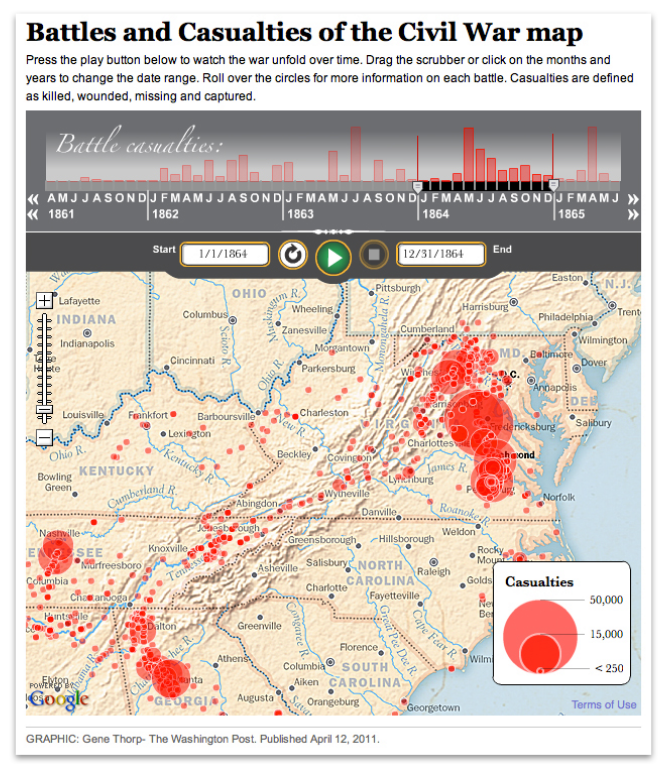
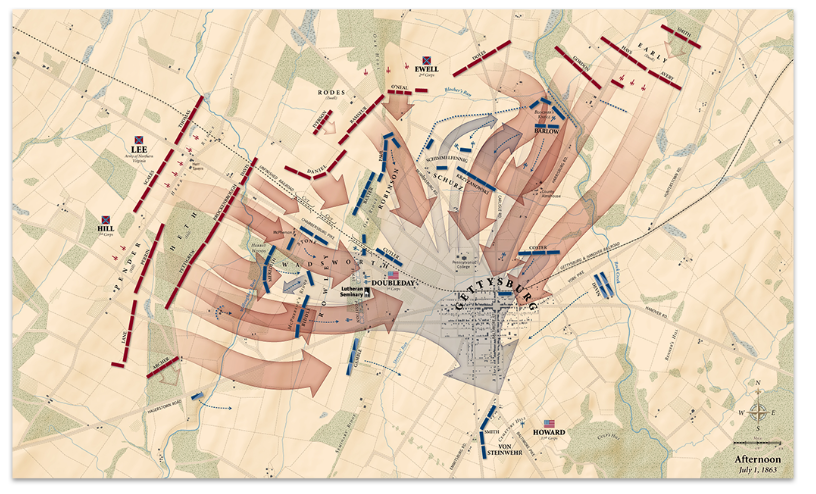
Among my favorite responsibilities was a five-year project of timelines, articles, and interactive maps to commemorate the sesquicentennial of the American Civil War.
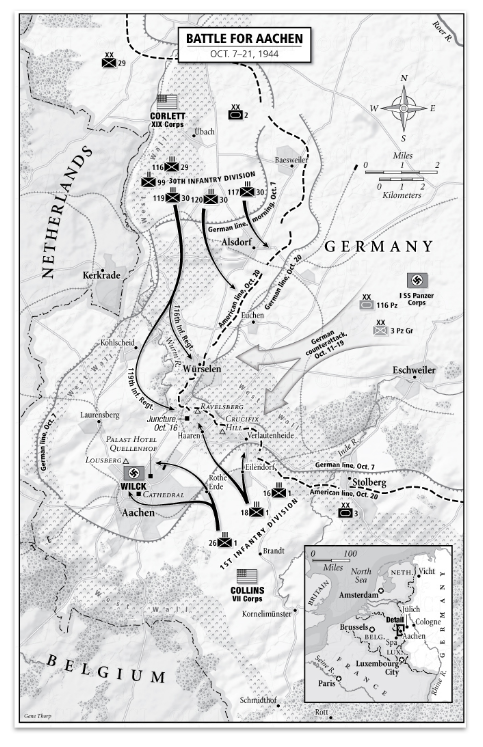
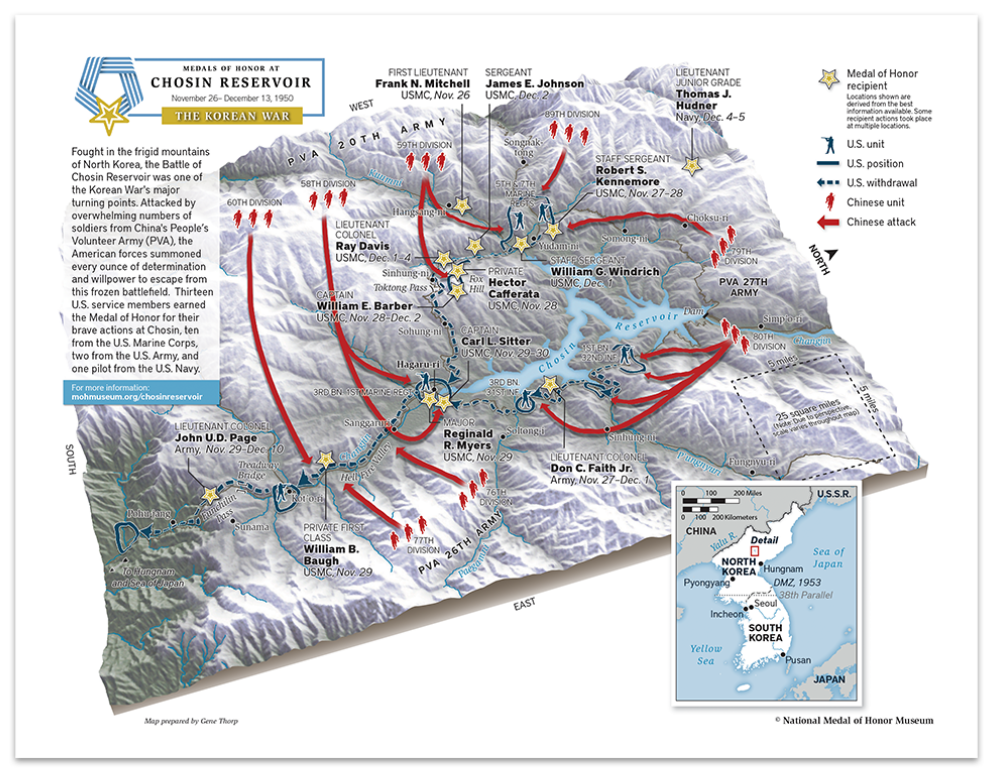
All the while, I created custom maps on the side for numerous bestselling books like those in Rick Atkinson’s World War Two Liberation Trilogy series (which won a Pulitzer Prize) and oversize maps for exhibitions at museums like the Smithsonian Institution, the Museum of the Bible, and The Seminary Museum in Gettysburg and many others.
After working 15 years in the news industry, I accepted a job in the federal government as a senior cartographer at the U.S. Department of State, where for the last six years have I operated under the direction of Lee Schwartz in the Office of the Geographer and Global Issues (GGI), within the Bureau of Intelligence and Research (INR).
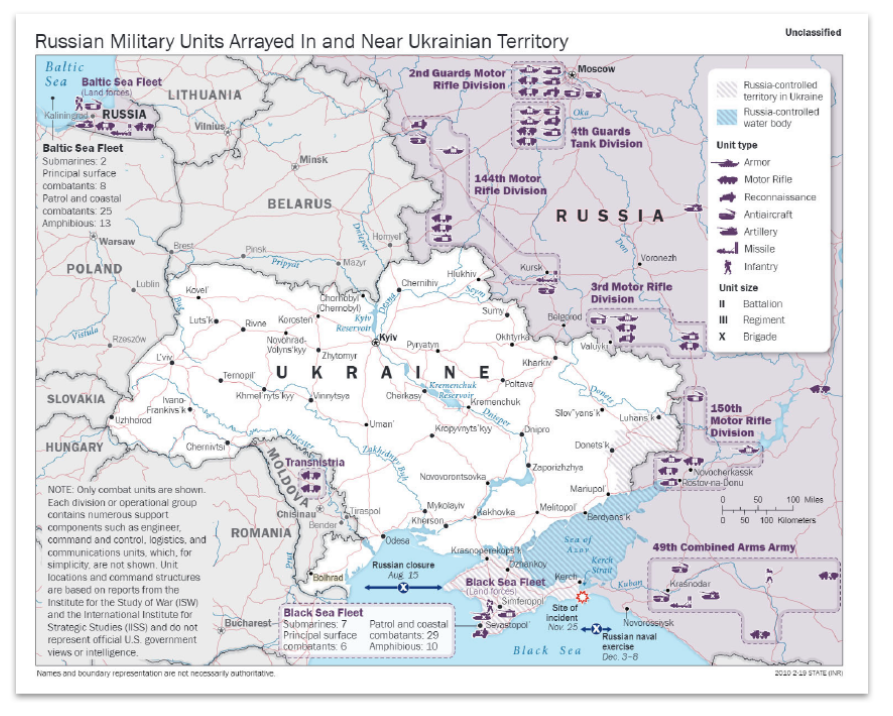
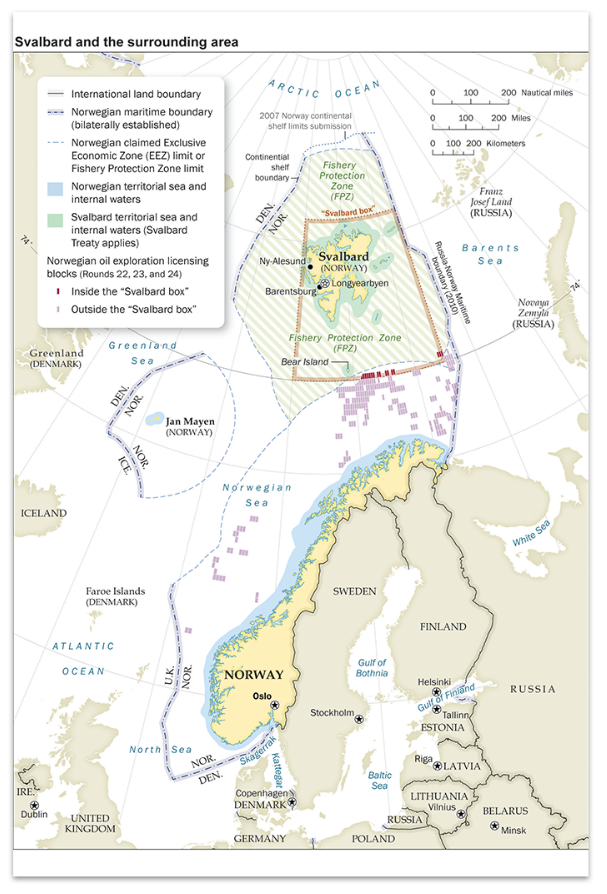
In this capacity, I work with an extremely knowledgeable group of geographers, scientists, and other subject-matter experts to support the full spectrum of the Department’s foreign policy missions. Working closely with my fellow cartographers in the Geographic Information Unit (GIU) and Humanitarian Information Unit (HIU), we produce hundreds of maps each year that help visualize and explain a wide range of topics and issues; such as the Department’s efforts to defeat international terrorist groups; illustrate the maritime claims of countries in places like the South China Sea, the eastern Mediterranean, and the Arctic; map the government’s policy on disputed international boundaries along the China-India border, and highlight the buildup of Russian forces near Ukraine.
I also work on the international boundary and sovereignty team that regularly advises policymakers on the geography and history of territorial disputes and produces the publicly available Large-Scale International Boundaries (LSIB) dataset, a set of digital lines used by cartographers and other geospatial professionals as the source for the world’s international boundaries reflecting the foreign policy of the United States.
I have been very lucky to rub elbows with some of the most amazing cartographers, designers, illustrators, writers, analysts, policymakers, editors, developers, photographers, and programmers of our time. The work has been fast-paced and challenging, but also extremely rewarding. It’s incredible to see how much technology has altered the landscape over the last 30 years. In the old days, I traced government base maps with a scribe tool and used peel coat, or digitized data on the “high-speed” 8MB RAM and 100MB hard drive computers. When I started at The Washington Post the mapping process was all digital, but the data we used was mostly what we created ourselves. When shapefiles or spreadsheets were available, we used Azimuth or other products to select and organize what we needed, before projecting and exporting the data. But when the files were imported into Adobe Illustrator for design and labeling (Illustrator replaced Freehand in 2005), the data lost all its attributes. Mapping expanded rapidly into 3D and I utilized programs such as Bryce 3D and Google Earth to create a vast assortment of perspective maps on tight deadlines.
Cartography also increasingly became accessible on the internet. At first, I made static locator maps and created custom map tiles for interactive traffic applications, but soon advanced to writing the actual applications, one of which was a multipurpose timeline that interfaced with Google maps that could play data ranges overtime on top of zoomable custom tilesets.
Midway through my career at the newspaper, Richard Furno retired, and by 2011 all support for Azimuth ended. I needed an affordable replacement mapping application that could custom project data and still interface with Illustrator. This is when I discovered MAPublisher. I had known about it for many years and had heard good things about it from colleagues, but up to that time Azimuth had always worked for my purposes. When I finally dug into MAPublisher’s capabilities I was instantly impressed. Not only could MAPublisher import and project a large array of data types, it maintained the data georeferencing and attributes within Illustrator, all the while allowing me to still perform analysis on it. I could now add or remove attribute fields, make calculations, join spreadsheets, create proportional circles and custom style points, lines, and polygons, all based on the data attributes. Making last-minute map scale changes was also much easier because labels maintained their size and association with their associated features whenever the map was enlarged or reduced. Creating custom data became easier too. I could register a base map or satellite image on existing data, trace the information I needed, then move it to a MAPublisher layer where it instantly became georeferenced. I could add and fill out custom attribute fields, then export the entire layer of new information to virtually any geospatial format for use in all the mainstream GIS applications. Another useful feature was that I could import only a small section of a large dataset. Had I started using MAPublisher earlier I could very easily be able to pull data from my older projects into the new ones. MAPublisher continues to be my core mapping application.
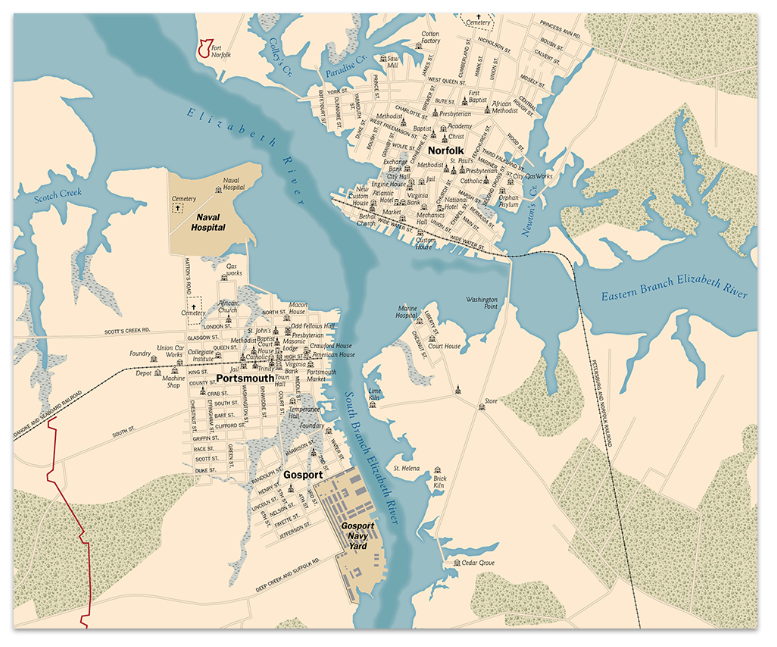
Returning to my roots in history, I’ve recently been using MAPublisher to create a detailed and accurate database of the mid-Atlantic region as it would have appeared during the American Civil War, 1861–1865. First I have stripped away modern features like roads, reservoirs, and manmade shorelines, and, using a variety of historical maps, restored historical features such as long since disappeared roads, rivers, shorelines, fords, railroads, bridges, and towns. An accurate base of geospatial data allows for the correct placement of the plethora of temporal data available from primary sources such as troop movements, refugee movements, weather events, and personal experiences that are tied to a specific historical location. All of this information is either used directly in MAPublisher to create maps, or exported and used in any application that can read geospatial information. I may never be able to mimic the historical map illustrations of David Greenspan that engrossed me as a child so long ago, but perhaps I’ll be able to recreate the world of that time in such a way that will captivate and educate generations of history buffs for years to come.
For those entering or considering the field of cartography and GIS, the future seems brighter and broader than ever before. My experience has been that most people find custom maps greatly enhance their products. The internet is increasingly awash with new data that individuals, companies, non-profits, and governments need to process and visualize to be understood. Even if cartography is not your primary role, adding attractive, accurate, and informative maps can be greatly beneficial to communicating the message of whatever organization you are working for. Good luck mapping!






 can be selected from the Illustrator menu. You can draw a rectangle or ellipse shape on the portion of the map you would like to erase.